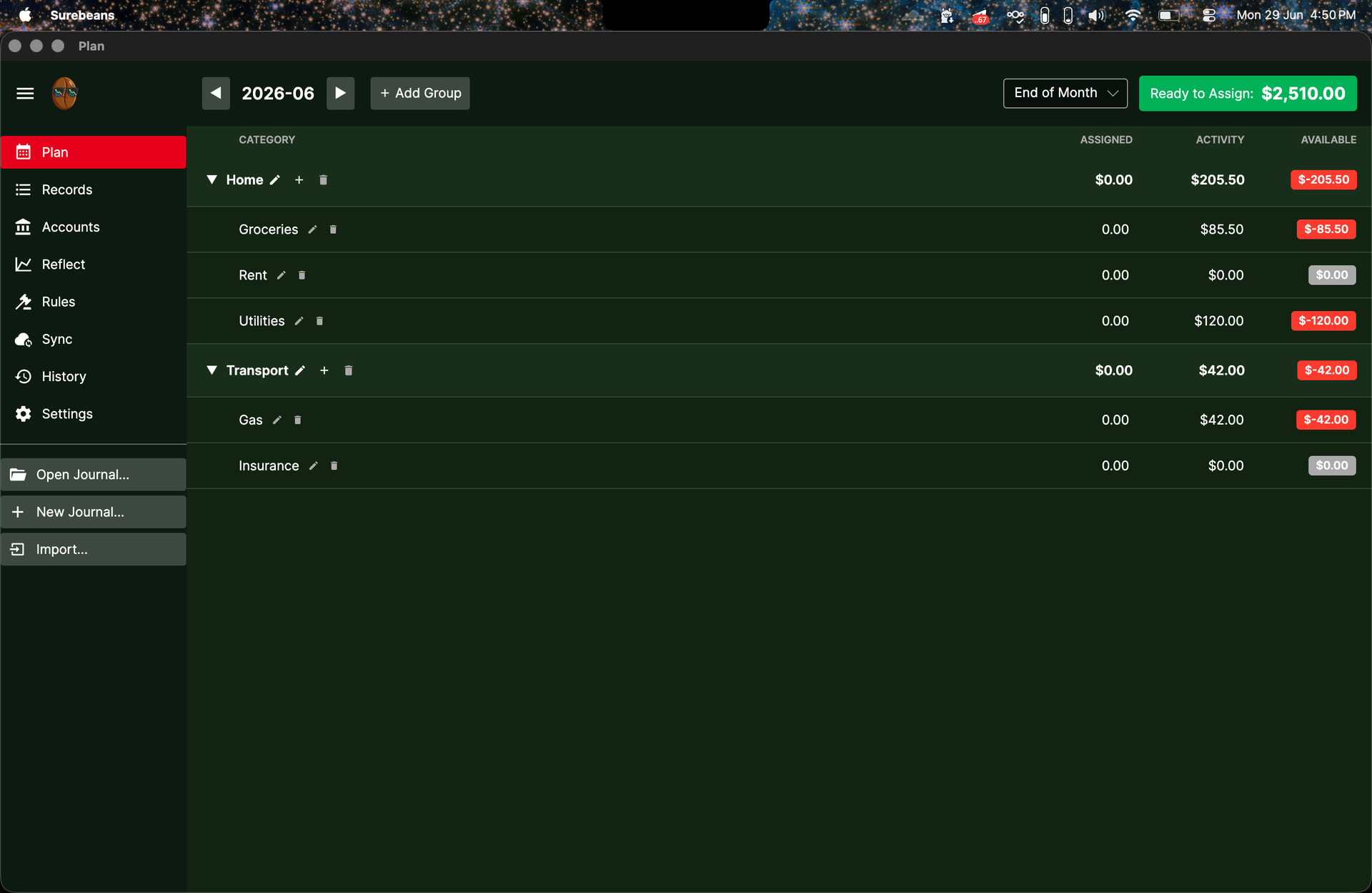
Troubleshooting Plan Feature in Surebeans

Hello again.

I’ve been using the Plan tab in Surebeans and have encountered what I believe are a few bugs. Below is a list of what I have found so far. I am using the desktop app, v0.86.0, on Windows. Can you please help me resolve the issues?

  • Cannot rename Groups. I can rename the individual categories in in each group
  • Lots of inconsistencies when trying to enter values in the Assigned column. Sometimes works fine, but other times the software will change to different number after I enter it. Generally, pressing enter after typing the number seems to give better results than if I try to click into a new box without hitting enter first. It seems like maybe certain categories have issues while others are fine? And if a category is off, it seems to always be off by the same amount (ex. always seems to add $2 to whatever I enter).
  • Seems like Categories in the Records tab do not match with Categories in the Plan tab. For example, after clicking in the Activity column for each Category, cannot assign transactions to that Category. The two tabs seem to have totally separate lists. Even if I try to assign a transaction to a category in the Records tab, it is not saved after leaving the tab.
  • For each Category, the funds shown as Available are incorrect based on what is in the Assigned and Activity column.

I will send some screen recordings of the issues to [email protected]. I can’t attach videos to posts, only images.

Thanks for taking the time to catalogue these issues, and sorry for the trouble! I’ll have a look and get back to you.

1 Like

I believe these issues should be resolved as of 0.87.0. Let me know if you still see them. Thanks!

1 Like

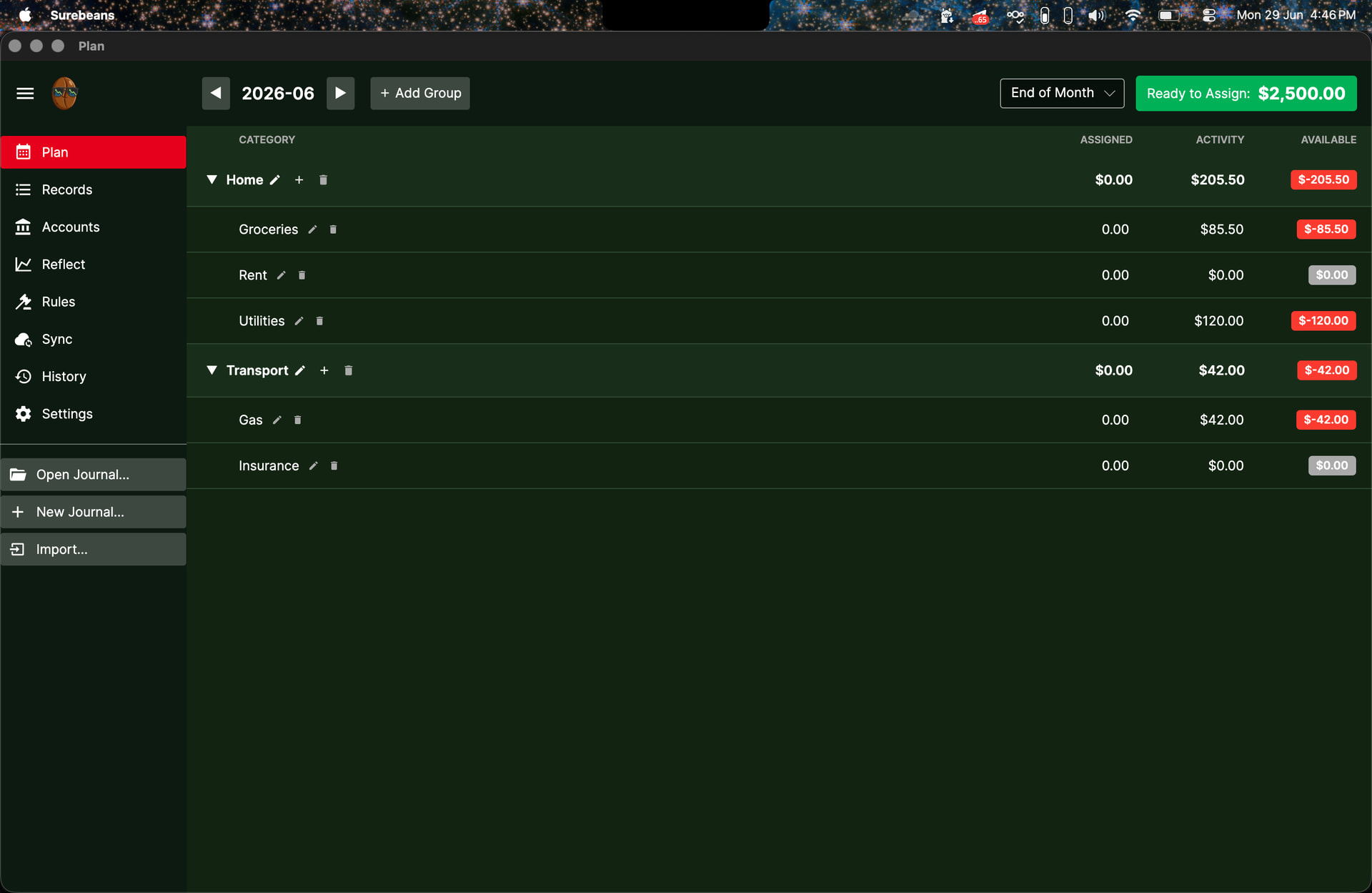
Adding on to this thread as I may have found a different bug in the Plan tab. I am on v0.88.0. After creating a new journal from scratch and navigating to the Plan tab, I see this:

which seems normal. However, it seems strange to me that the starting balance of $5000 in the default checking account doesn’t need to be assigned, and only the salary of $2500 needs to be assigned. I think the starting balances of accounts also need to be assigned.

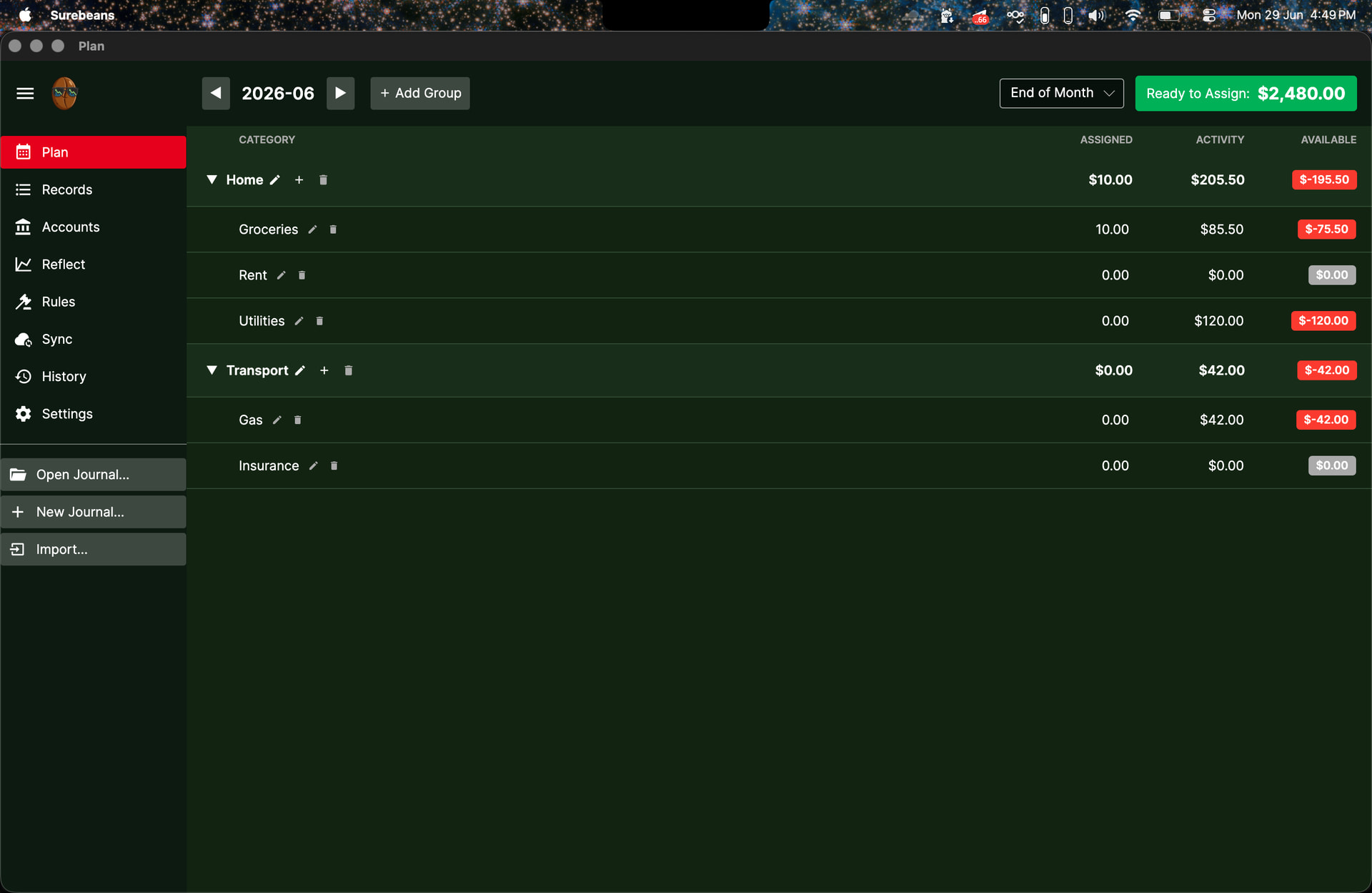
Secondly, upon assigning some dollars to a category:

The number of dollars which are ready to assign does not make sense. It seems that when I assign $10 to Groceries, it subtracts twice that amount from the amount which is ready to be assigned.

Additionally, if I reset the amount assigned to Groceries to $0:

The total amount ready to be assigned mysteriously gains $10 more than $2500, which is what it should be.

I can recreate this with any amount I assign. When I assign X to a category, the total amount ready to be assigned drops by 2X. If I reset the category to 0, the total amount ready to be assigned changes to 2500+X.

Thanks for pointing this out. You should find it’s fixed in 0.88.1. You will need to either create a new journal or change the category of the $5000 record to Ready to Assign.

Fixes:

  1. RTA only counts income, not equity, but the default new journal used the Equity:Opening Balances category. With 0.88.1, it will use Ready to Assign.

  2. When you typed e.g. $10, two bits of logic ran. One saved $2490 to disk. Then the other subtracted $10 from that. When you cleared it back to $0, the journal correctly restored to $2500, then the other bit of logic added $10 to that.

2 Likes

Just upgraded to 0.88.1, and the issues have indeed been rectified. Thanks Doug!

1 Like

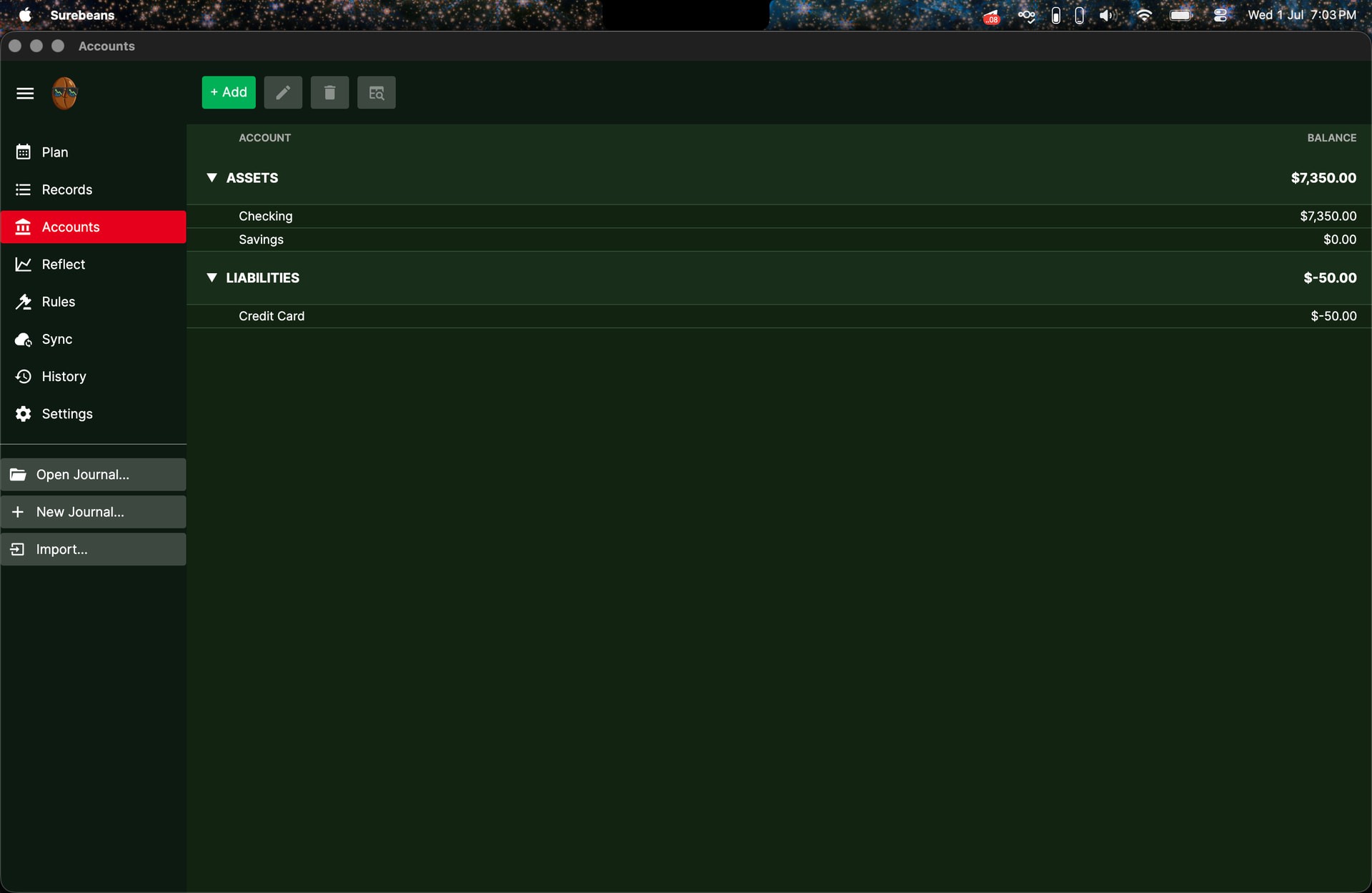
Hey Doug, I may have spotted another bug in the Plan feature. I’m on v0.89.1. I created a new journal from scratch and modified the balances for easier reading. Here’s the Accounts tab:

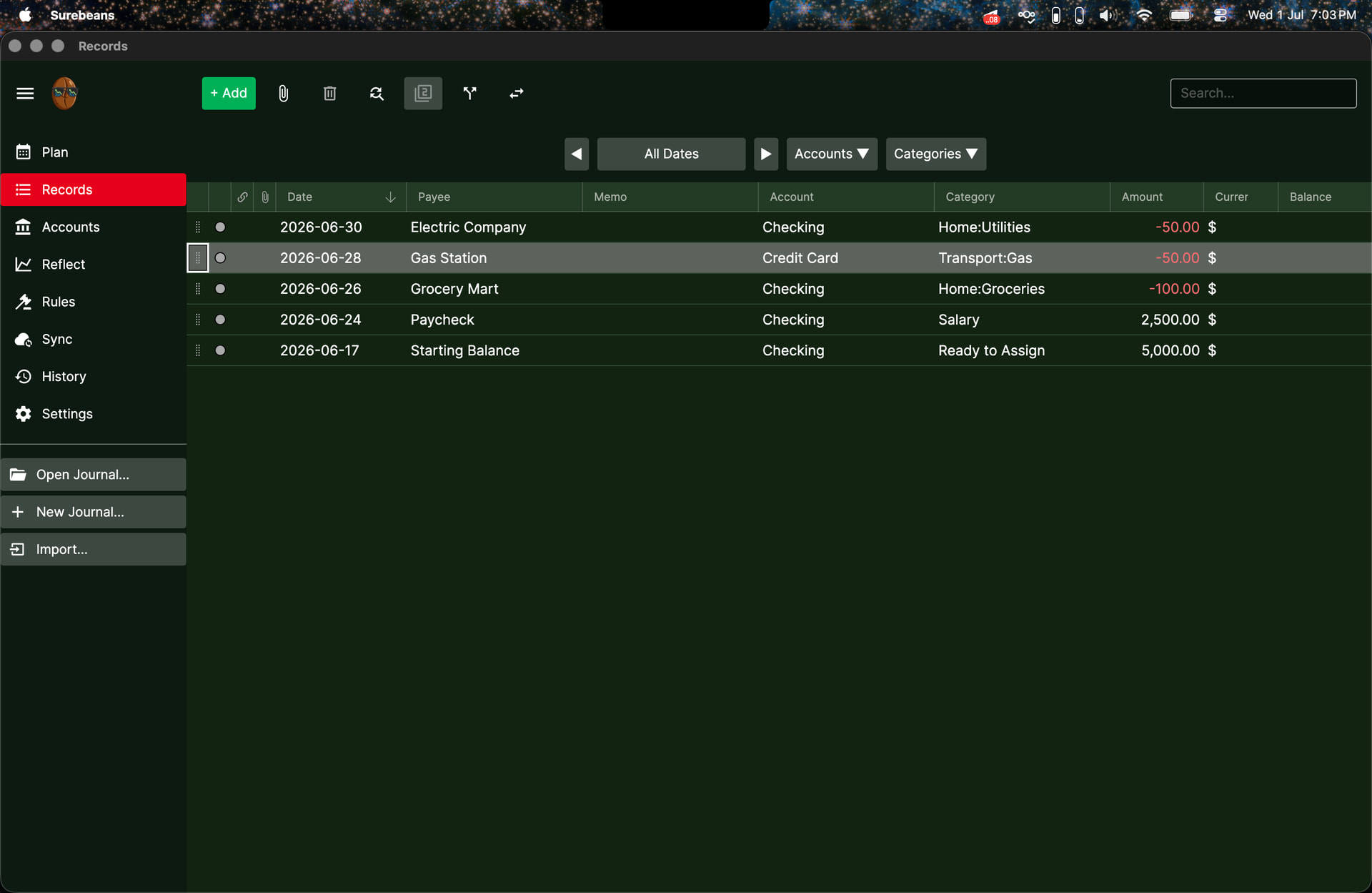
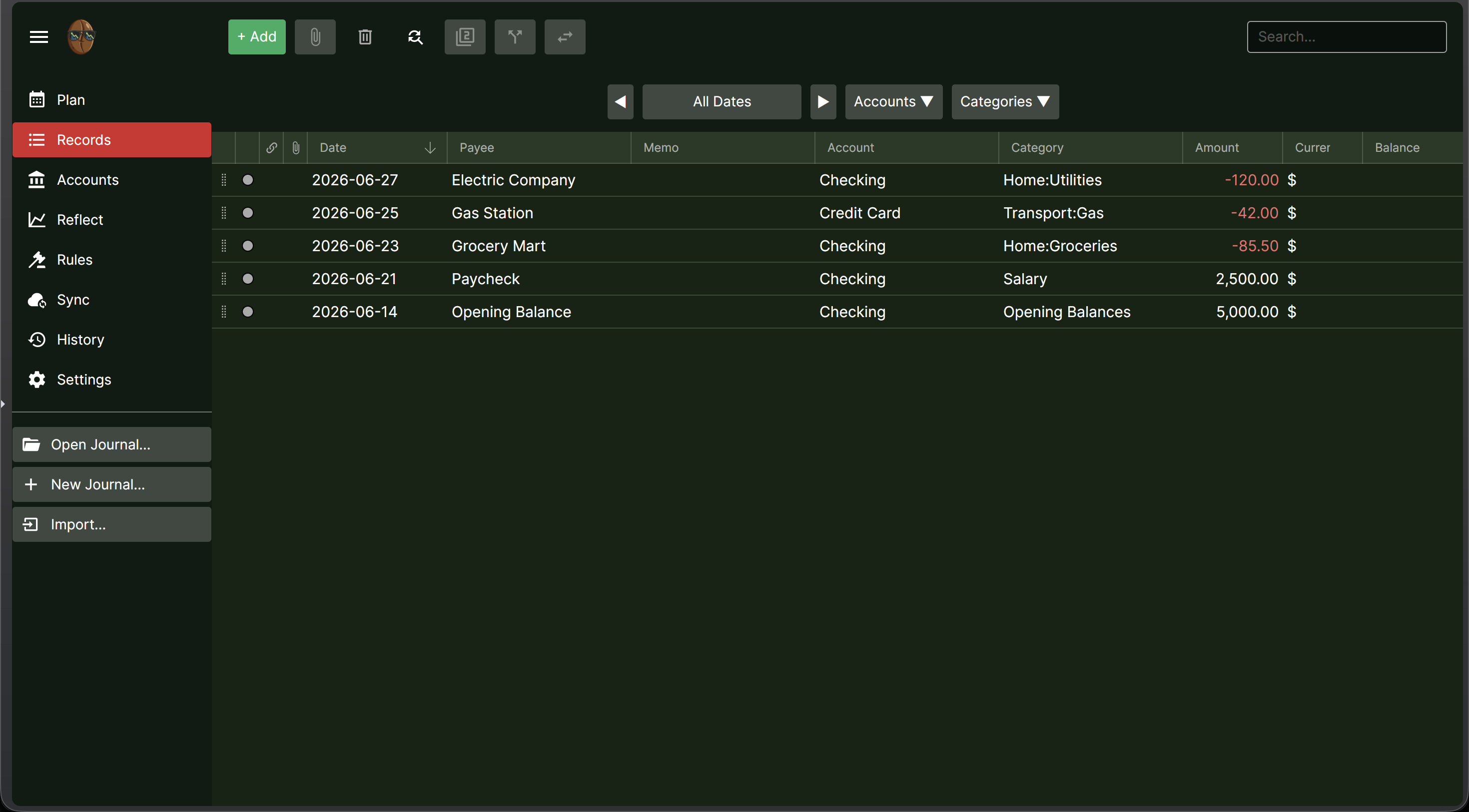
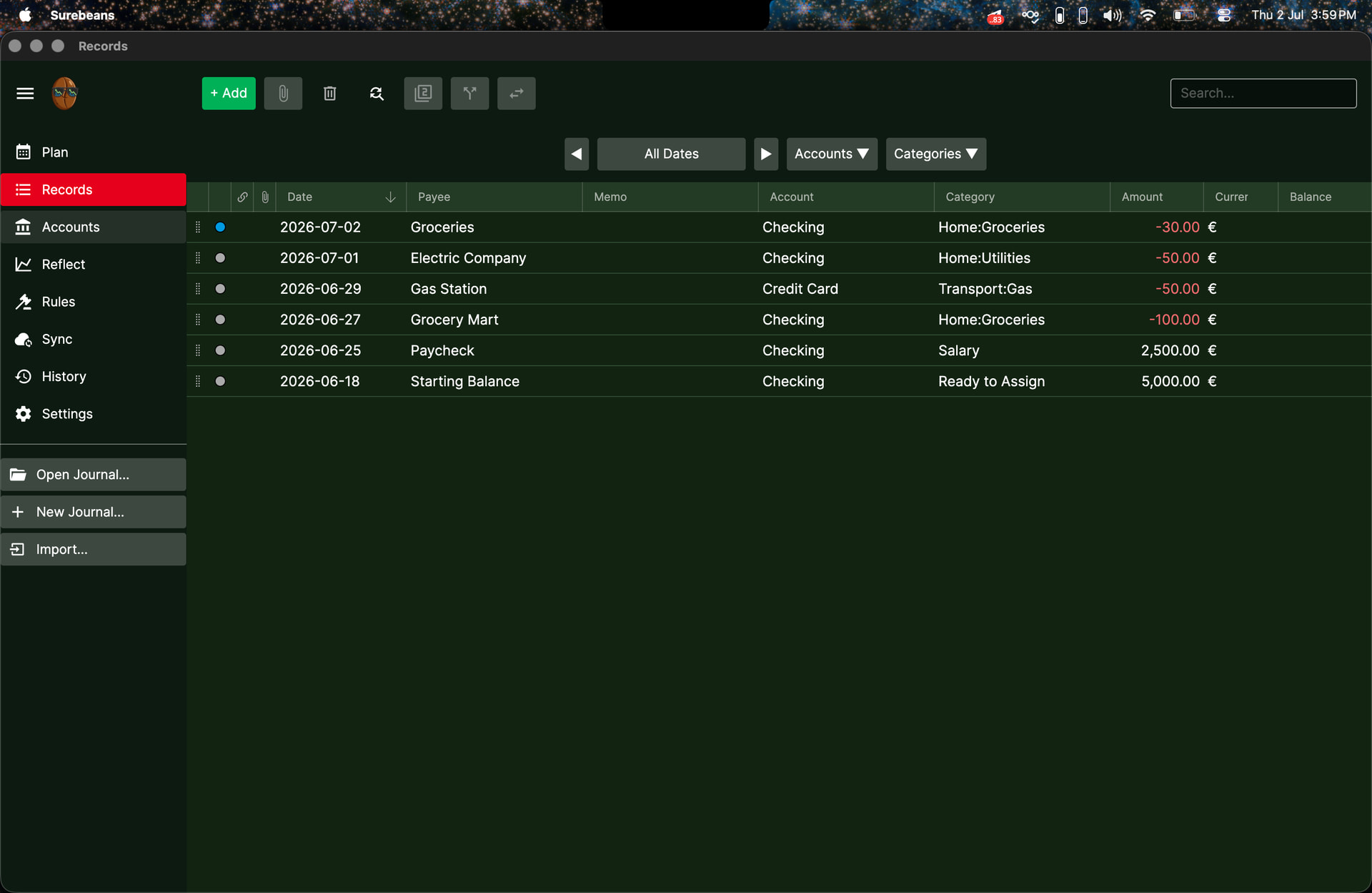
Here’s the Records tab:

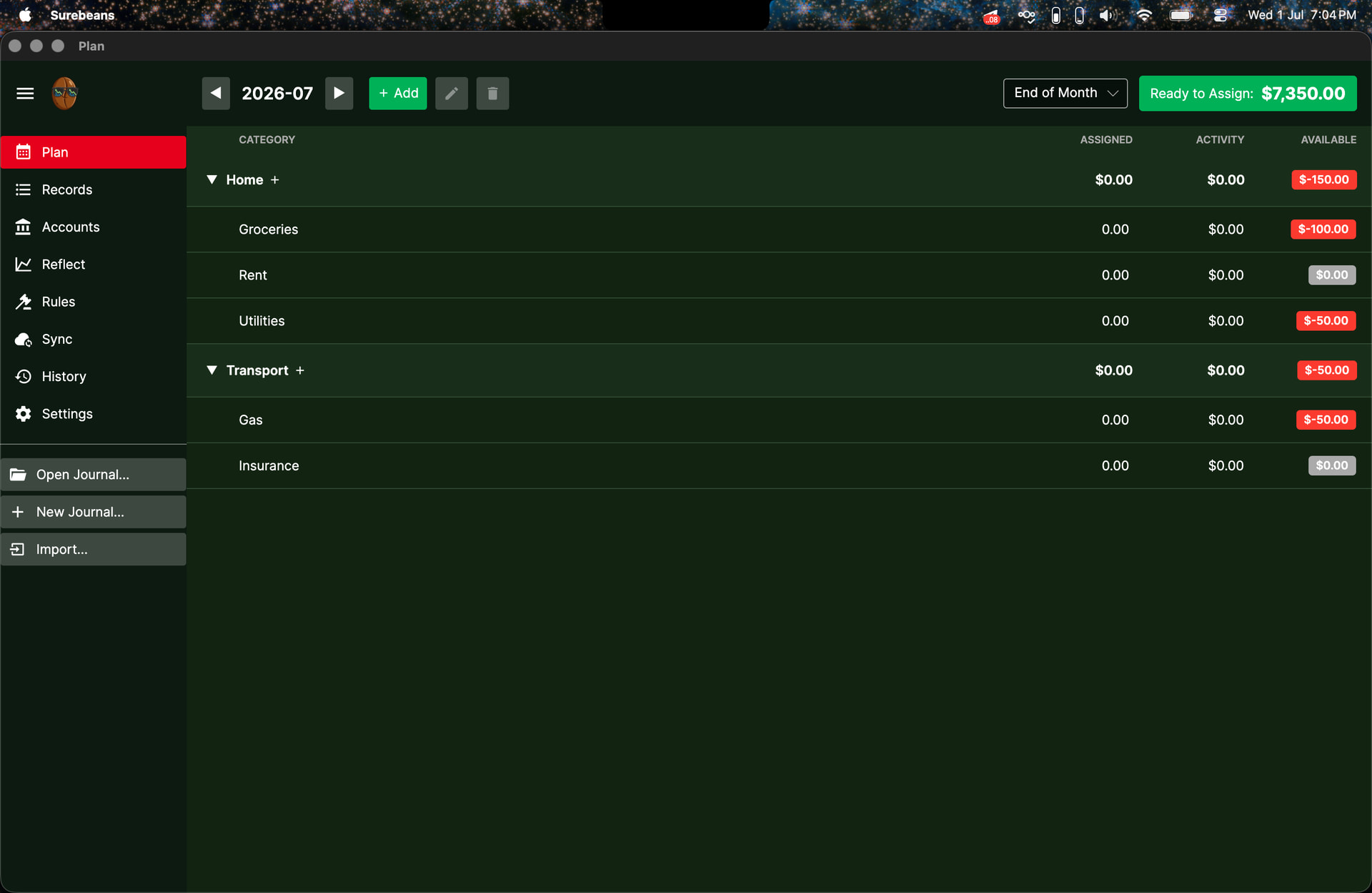
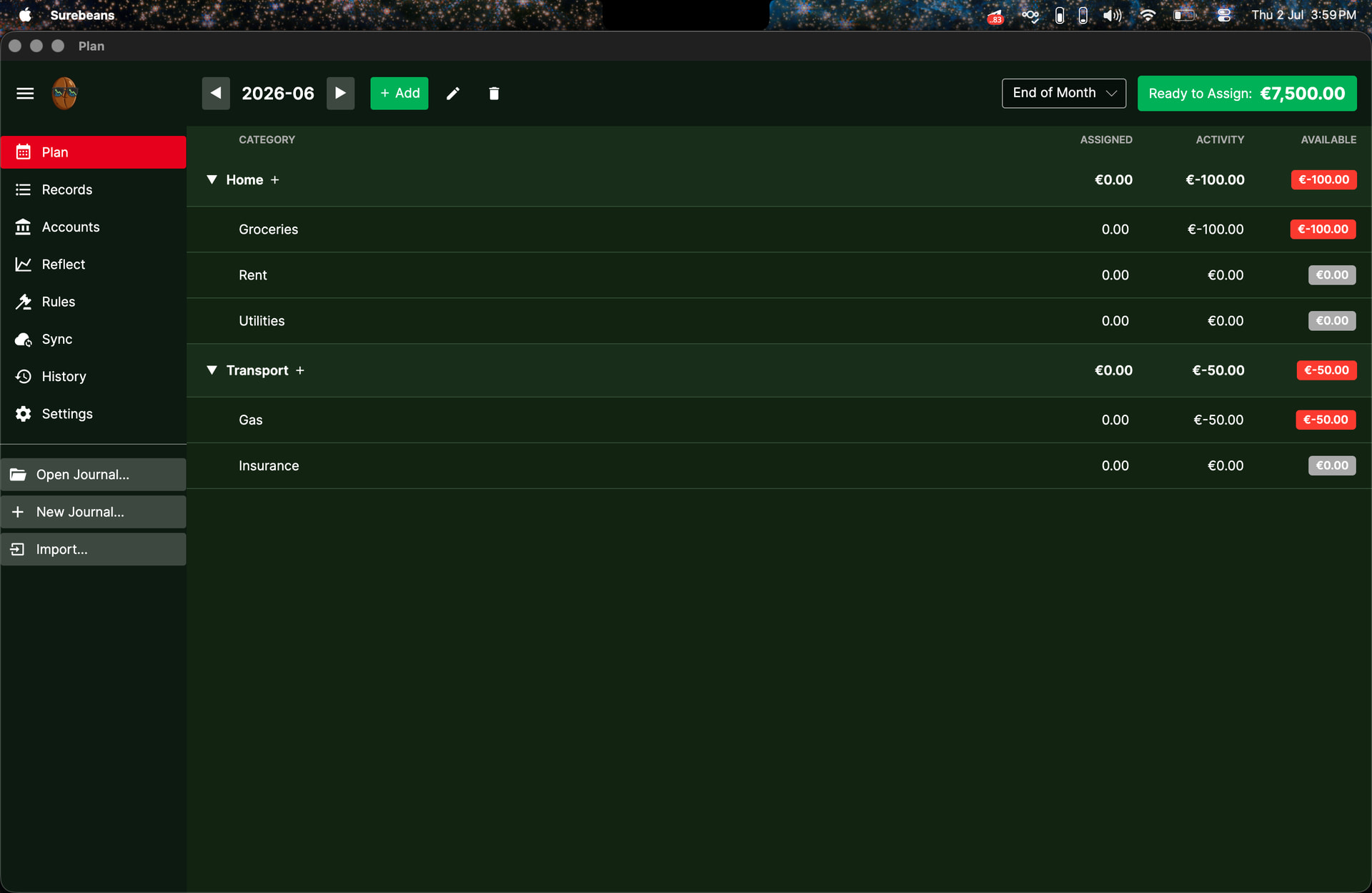
And here’s the Plan tab:

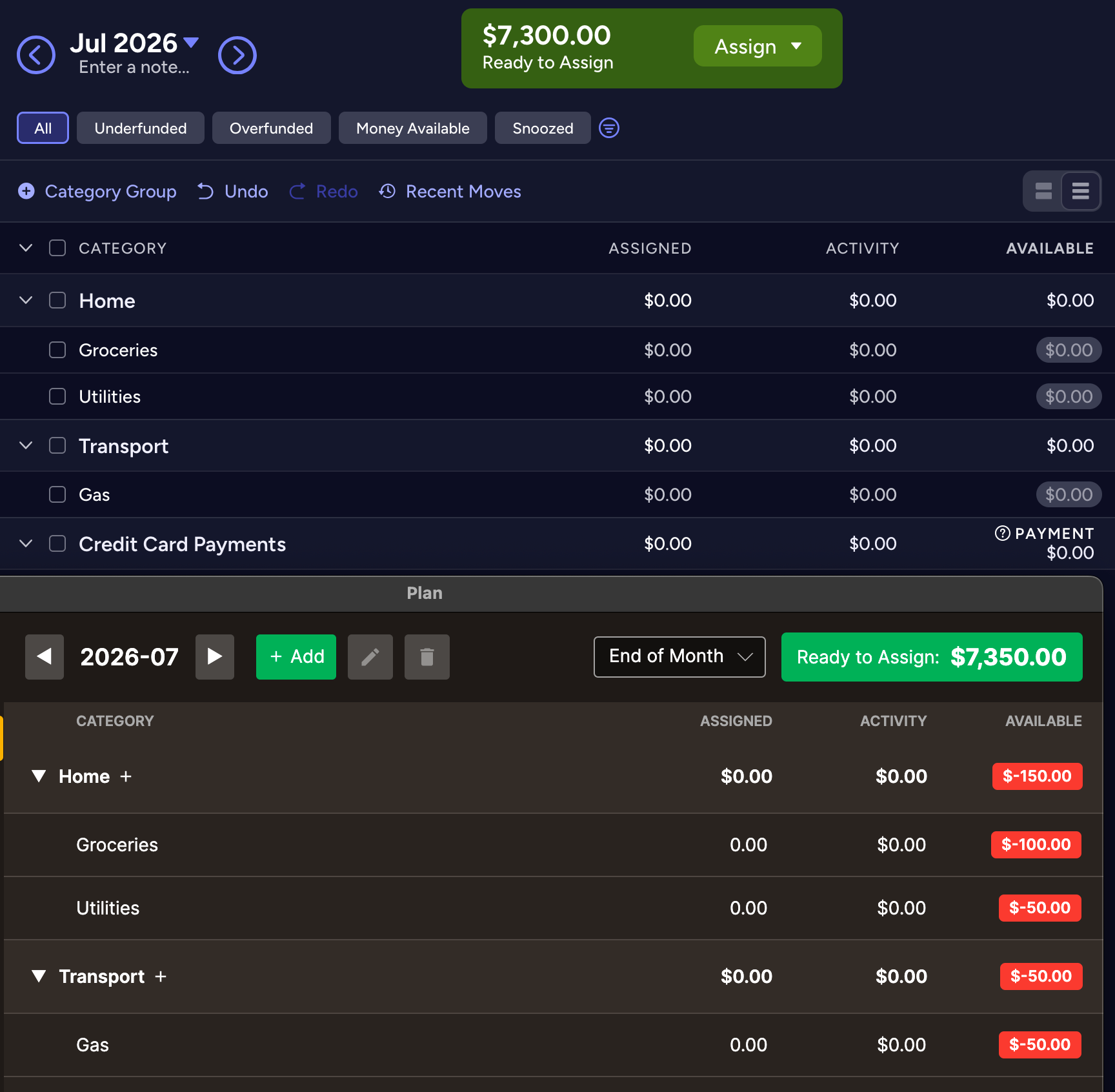
It seems to me that the amount labelled Ready to Assign should be $7500. In theory, we need to assign every dollar that is added to our accounts (any incomes + starting balances) to a category. If we spend money on an expense before assigning, we need to assign an amount to its category to account for the expenditure. The amount labelled Ready to Assign shouldn’t be pegged to the current total value of the accounts, but rather to the total unassigned incomes of the accounts. (EDIT: please read through the whole post)

Edit: It also appears that there’s a bug with the Plan feature in the browser version of Surebeans. This is the Records tab in the browser:

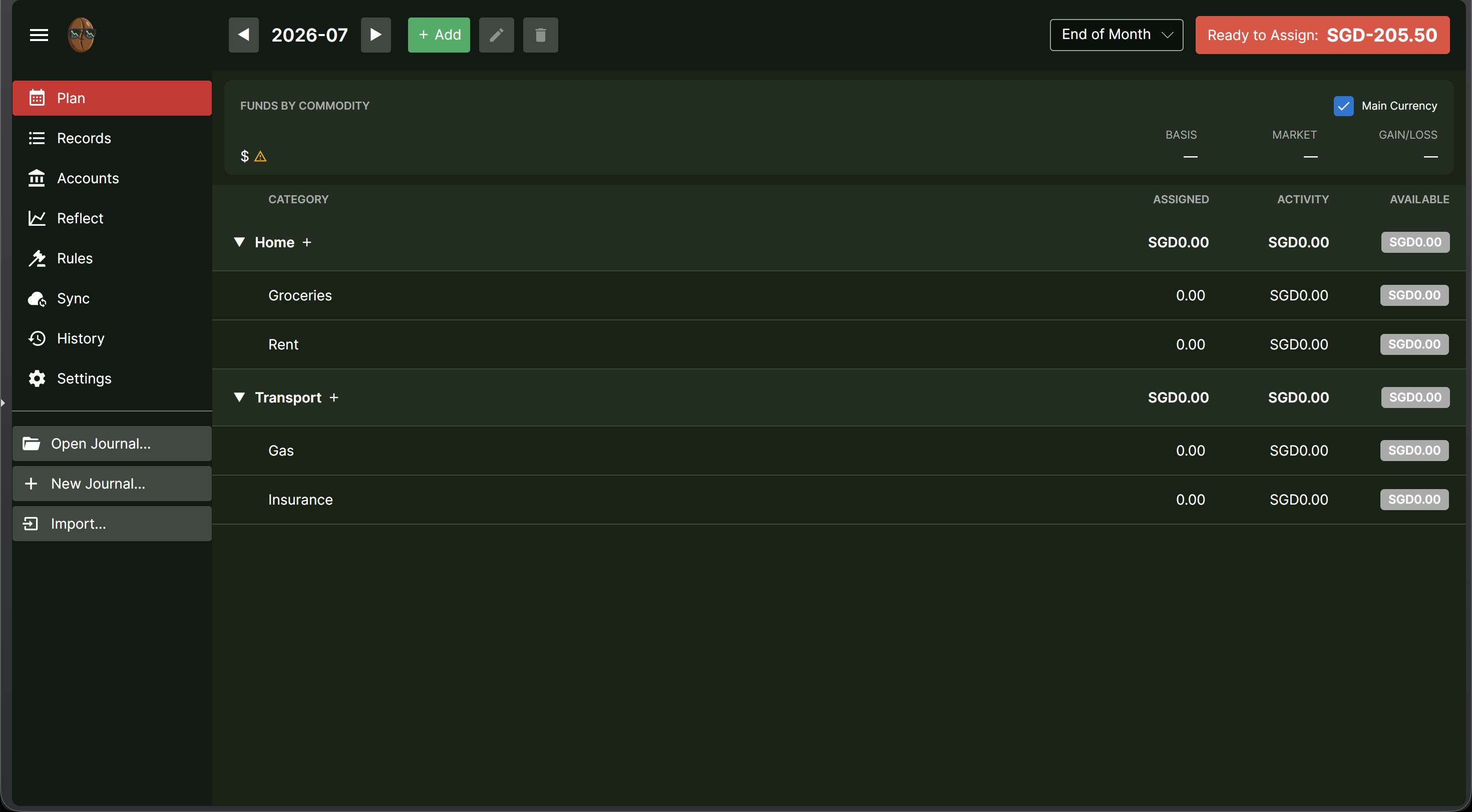
This is the Plan tab in the browser:

The amount that is Ready to Assign seems to be the total expenditure, while the Activity entries are empty.

Edit #2:

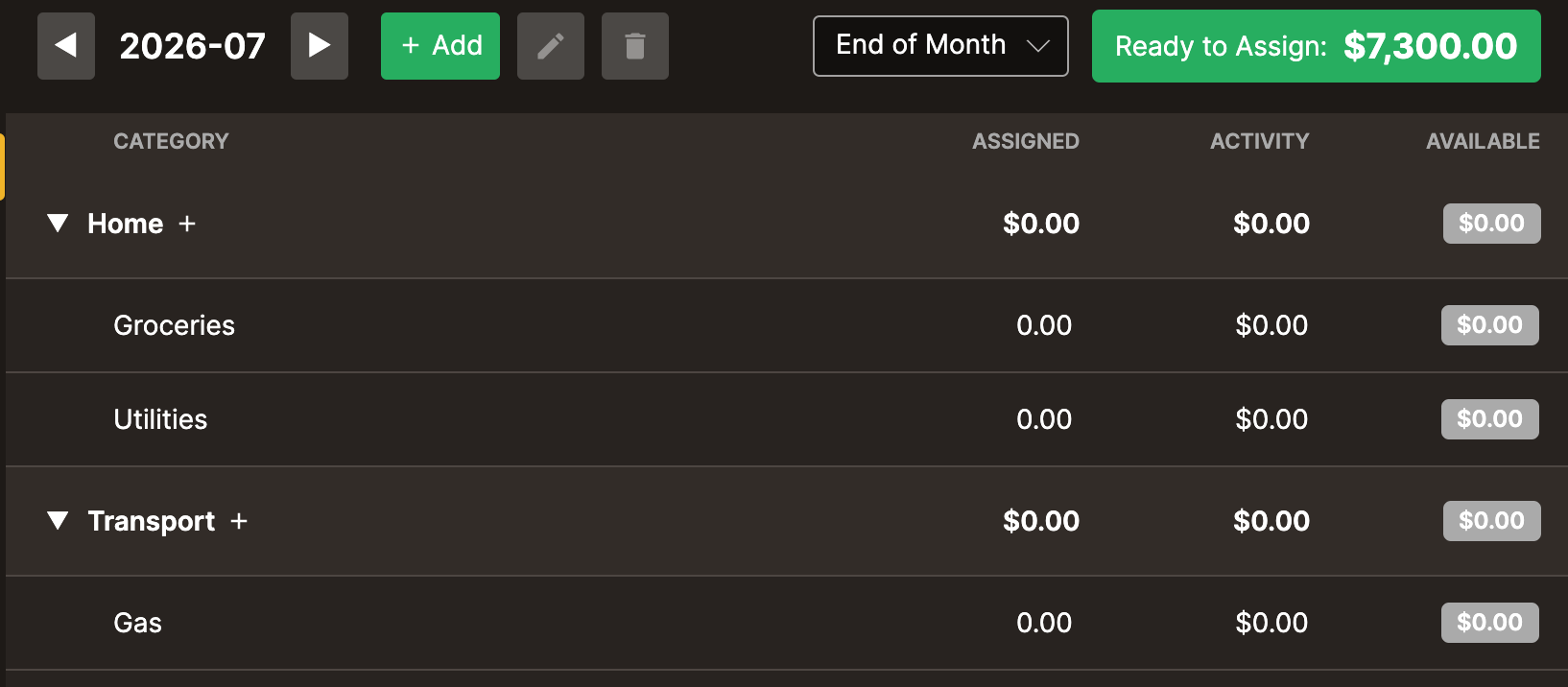
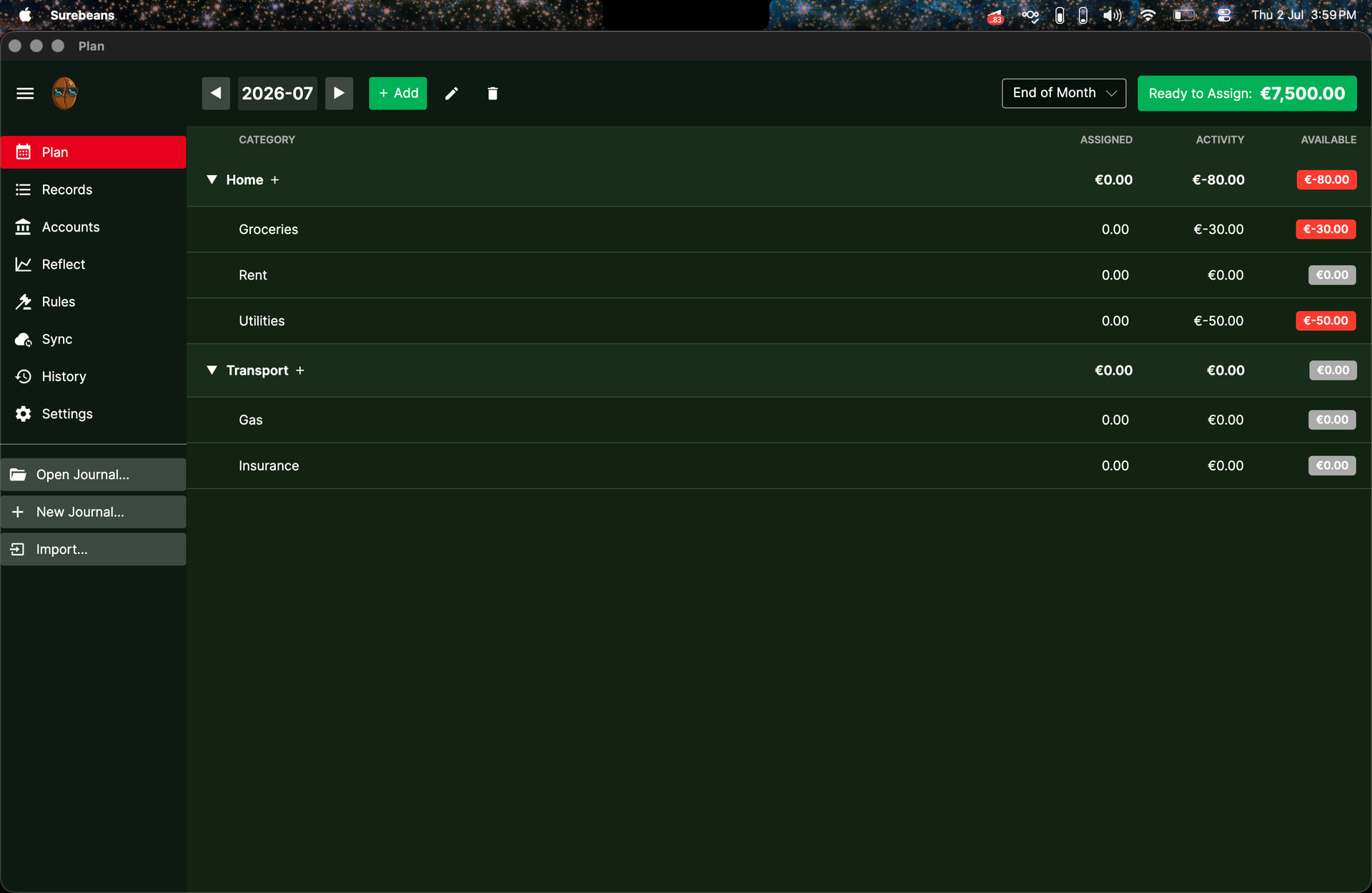
I’ve realised that the desktop version doesn’t have an issue; it’s just a result of the date changing from Jun 30 to Jul 1. The activity entries for July are naturally empty as no expenses have been made in the new month, and the amount Ready to be Assigned is naturally the current value of the accounts on the start of the new month. This makes sense.

It may be worth considering the addition of a new column titled ‘Carry-over’ or something like that next to Activity, to indicate the amount of unaccounted activity carried over from the past.

This does make me wonder: Let’s say I don’t assign any of the $7500 in June, and make $250 of expenses in June. In July, I have 0 new expenses and $7250 to assign (current balance of accounts at start of July), but $250 of expenses from June to assign money to. Something about this doesn’t make sense: If I assign $250 in July to balance the plan, I have essentially locked up a total of $500 to account for $250 worth of expenses.

1 Like

Thanks for your longsuffering and for the helpful details. Please try again in 0.89.6. You’ll need to either create a new scratch journal or manually edit 2026.journal:

Details

The intent is perfect parity with YNAB, where any overspending gets deducted from the next month’s RTA. There was a bug in the month rollover math which you got “lucky” to discover since today happens to be July 1. There was also a bug in the generation of the “from scratch” journal which I’ll explain below.

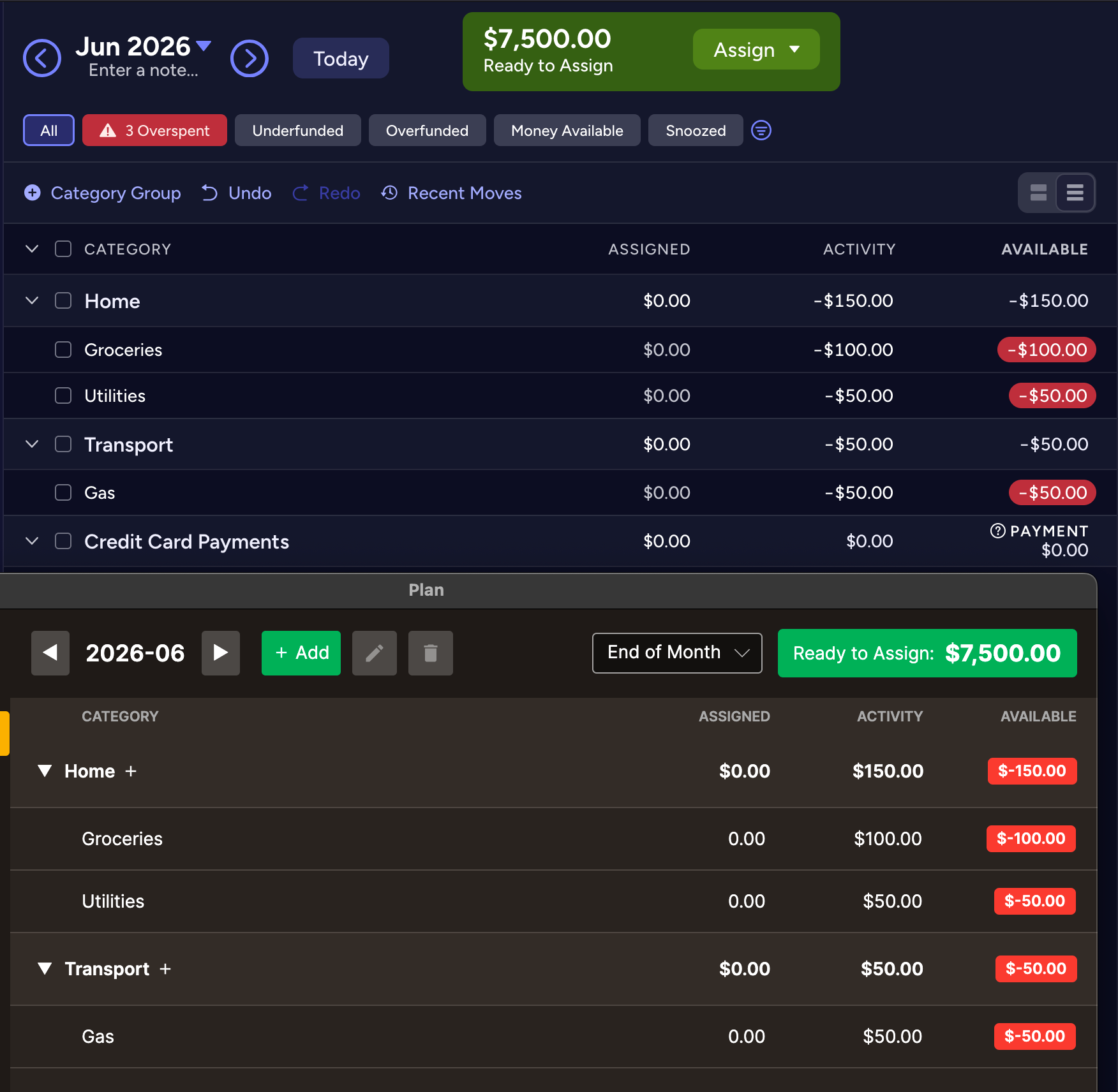
I put the same transactions into a YNAB budget and took screenshots next to Surebeans, both before and after the fixes in 0.89.6.

Before

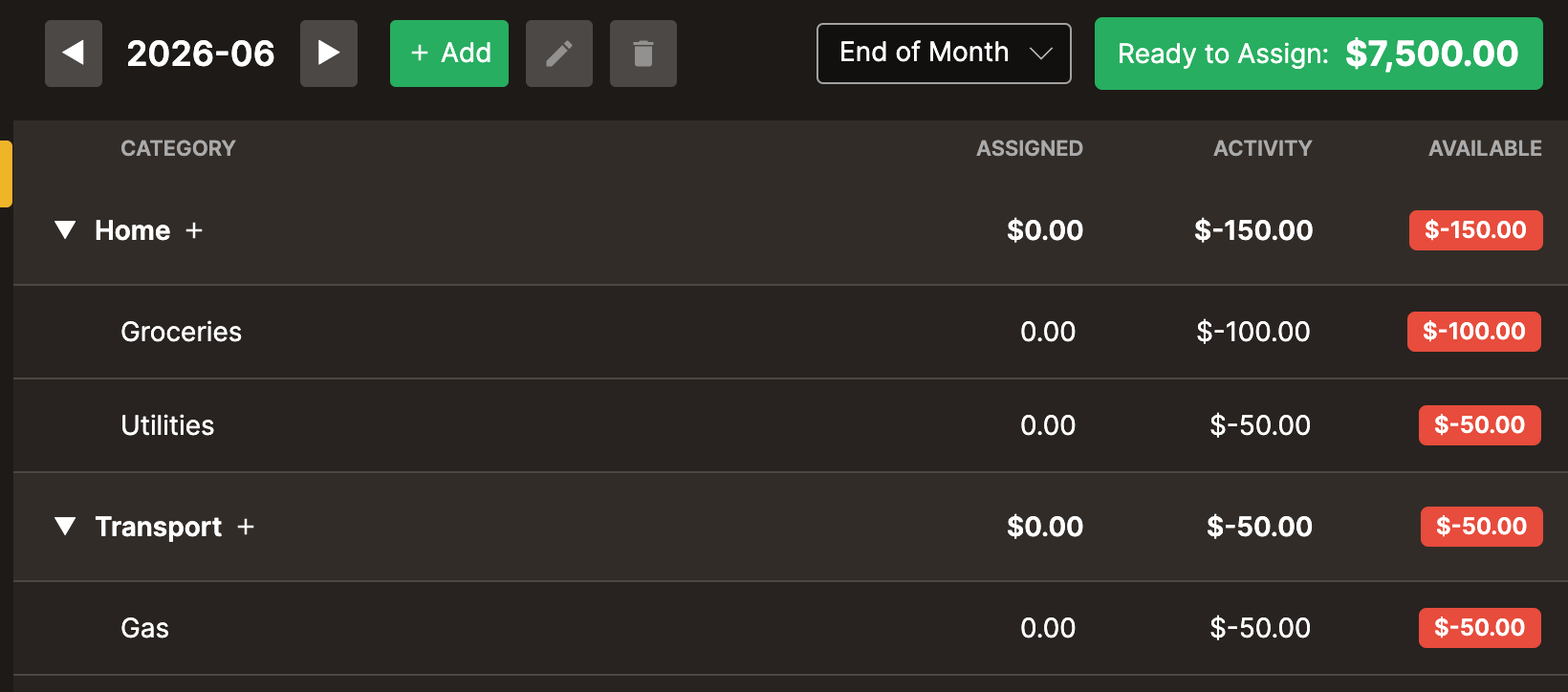
June: Surebeans values under Activity are missing YNAB’s minus signs

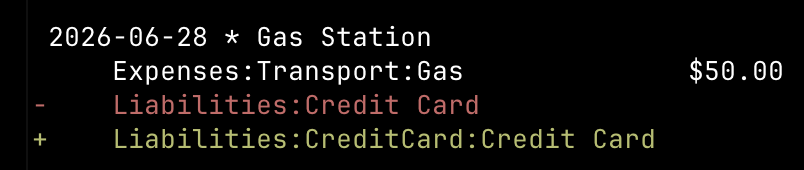
July: YNAB reset Available to zeroes and rolled it into RTA. Surebeans didn’t reset Available to zeroes and rolled most of it into RTA, except for the $-50 gas station transaction which was ignored due to an error in the “from scratch” journal: Liabilities:Credit Card is the wrong account name. It should be Liabilities:CreditCard:Credit Card, which looks redundant, but CreditCard is the liability type and Credit Card is the account name. In a real budget the name would be e.g. Discover, Amex, Visa.

After: Surebeans matches YNAB for this journal.

June

July

2 Likes

Thank you for your efforts, Doug! I’m on v0.89.6 now. When currencies are left untouched, everything now works as expected. The issues with the RTA amounts have been resolved, both on desktop and browser.

However, with some experimentation, I realised that the Plan tab goes haywire when the Main Currency setting in Settings is changed. When I change to another default currency (e.g. €) or set my own custom currency (e.g. ZAR), the calculations in the Plan tab go haywire, and I am unable to edit the Assigned values.

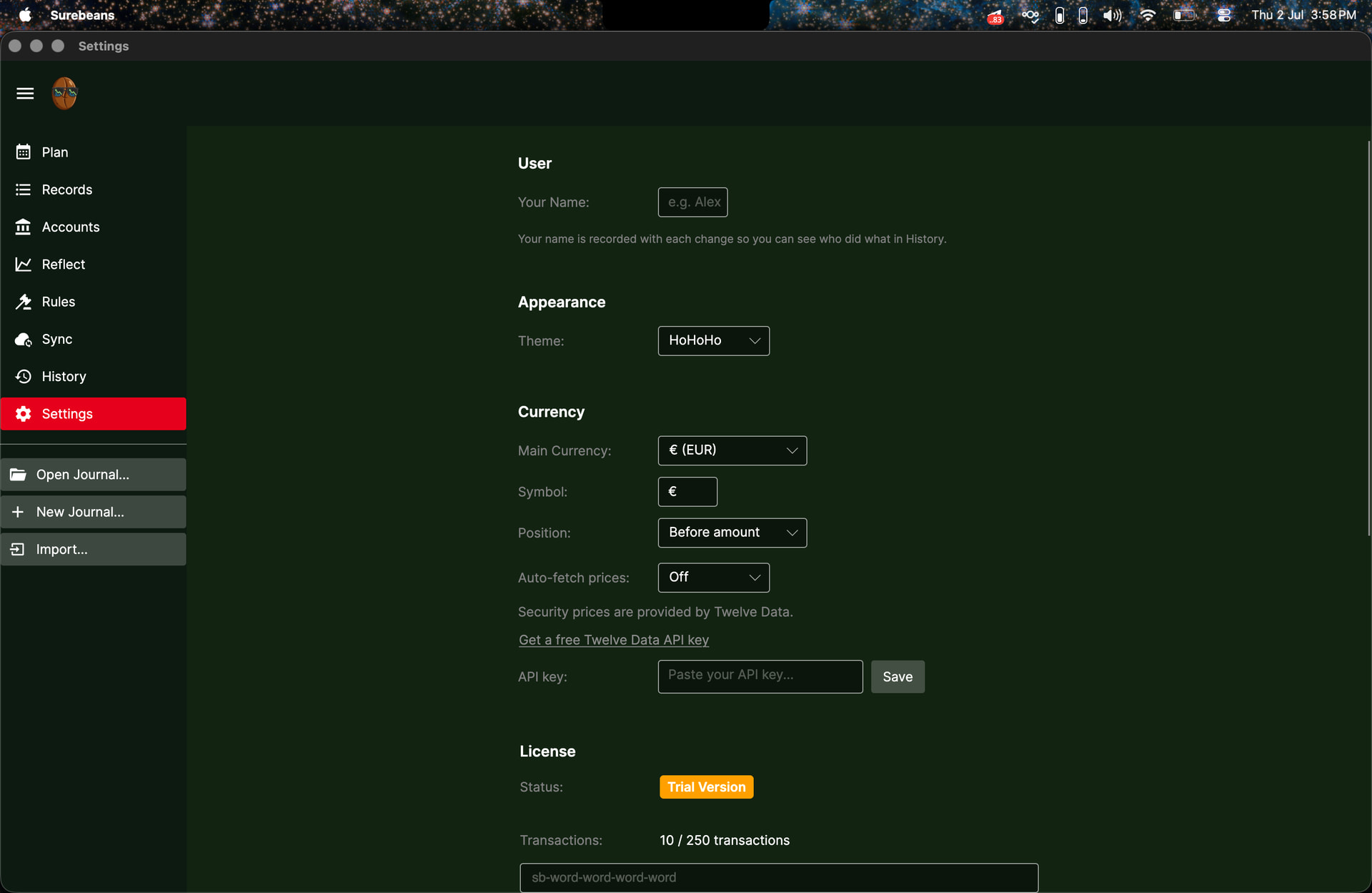
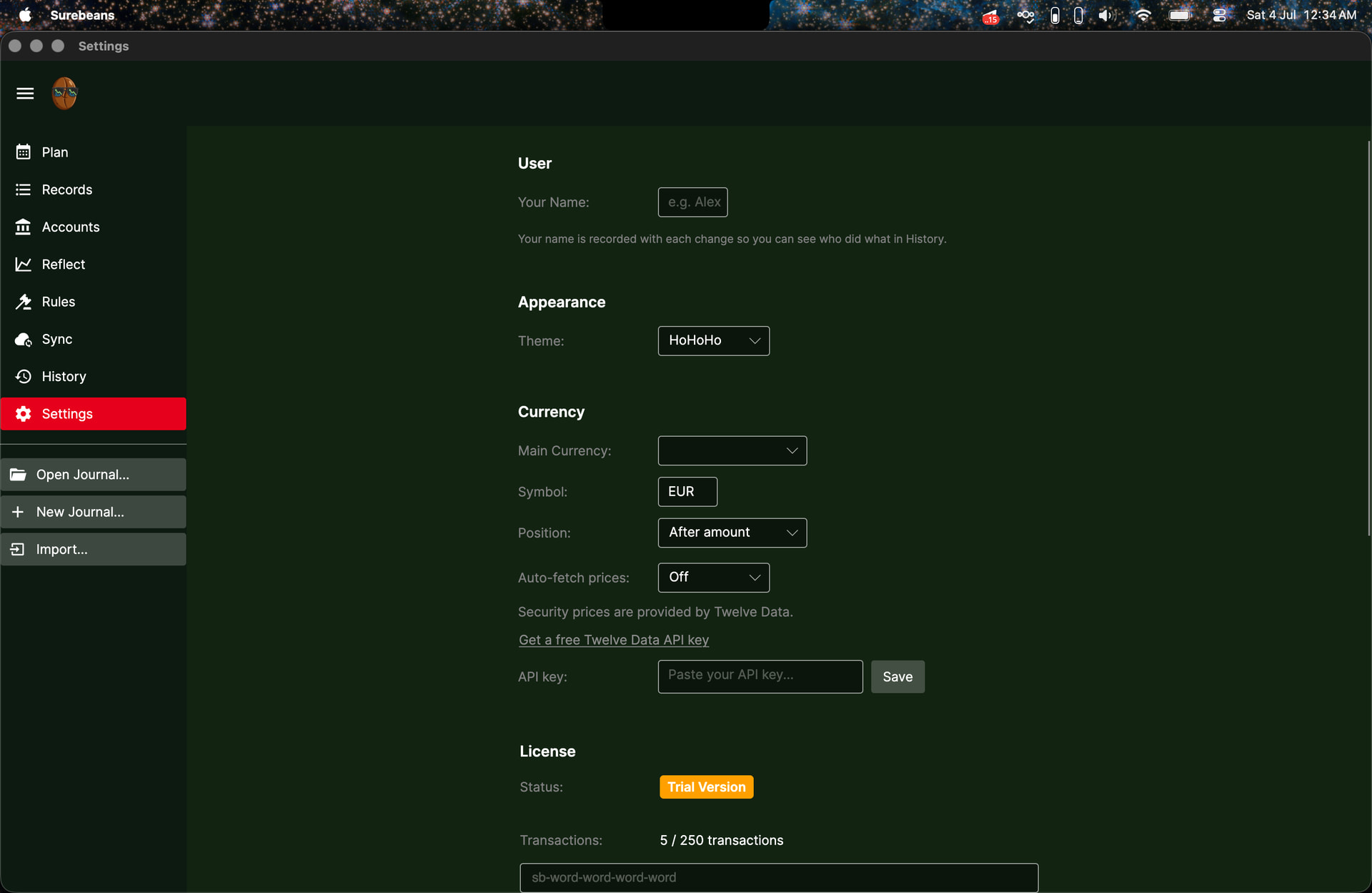
Here’s the Settings, with currency set to €:

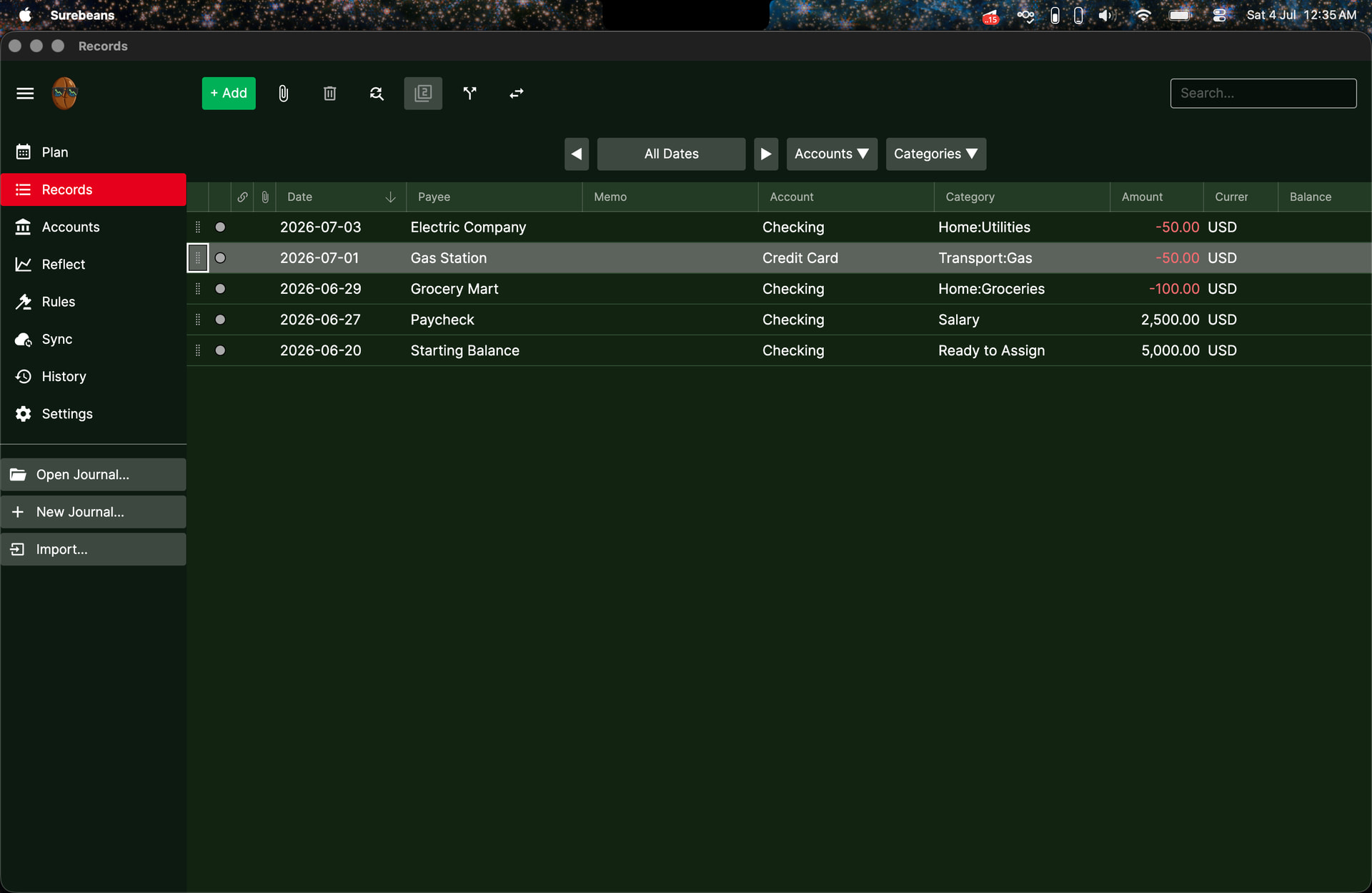
Here’s the Records tab, with the currency of all transactions changed to €:

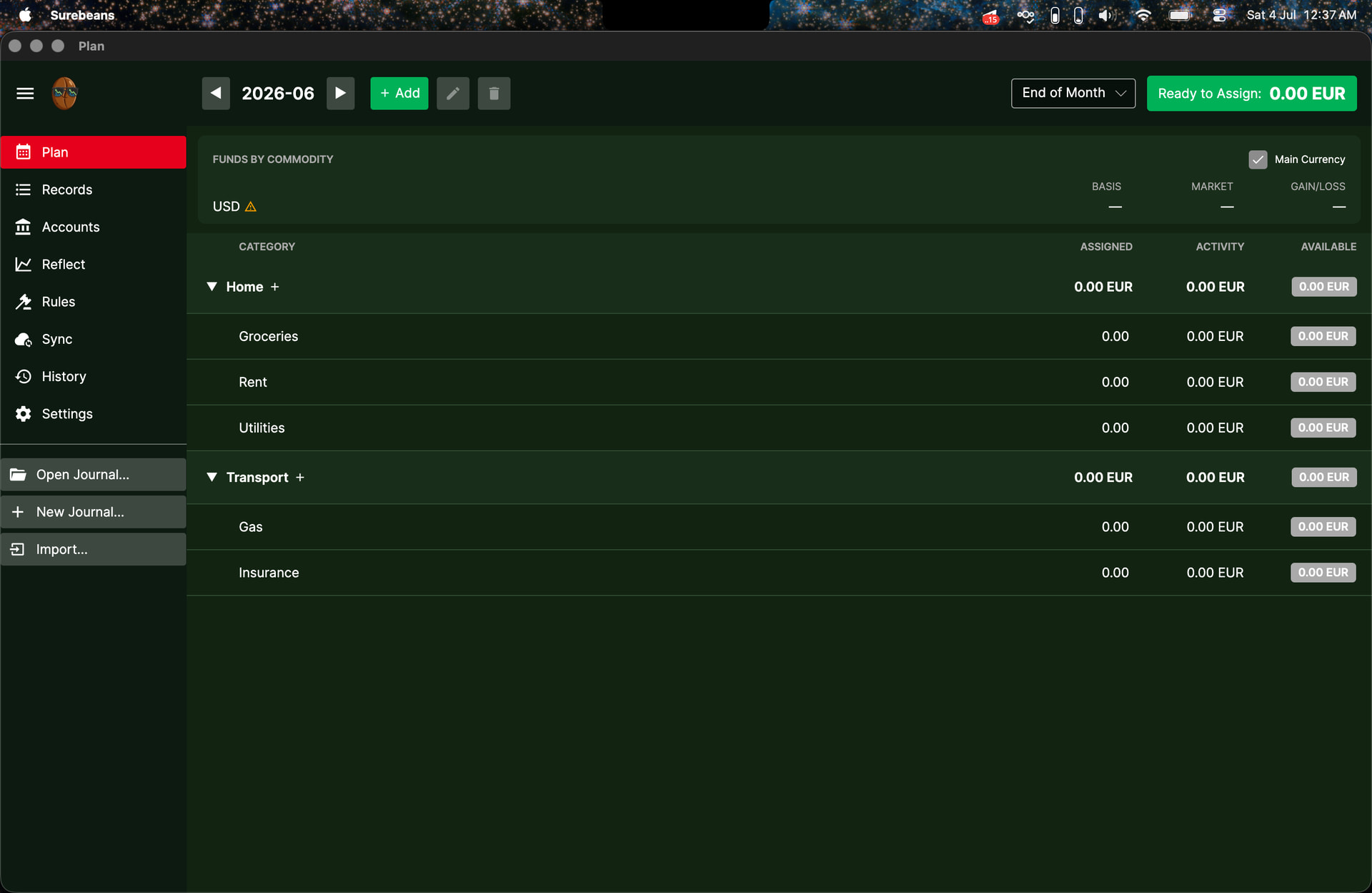
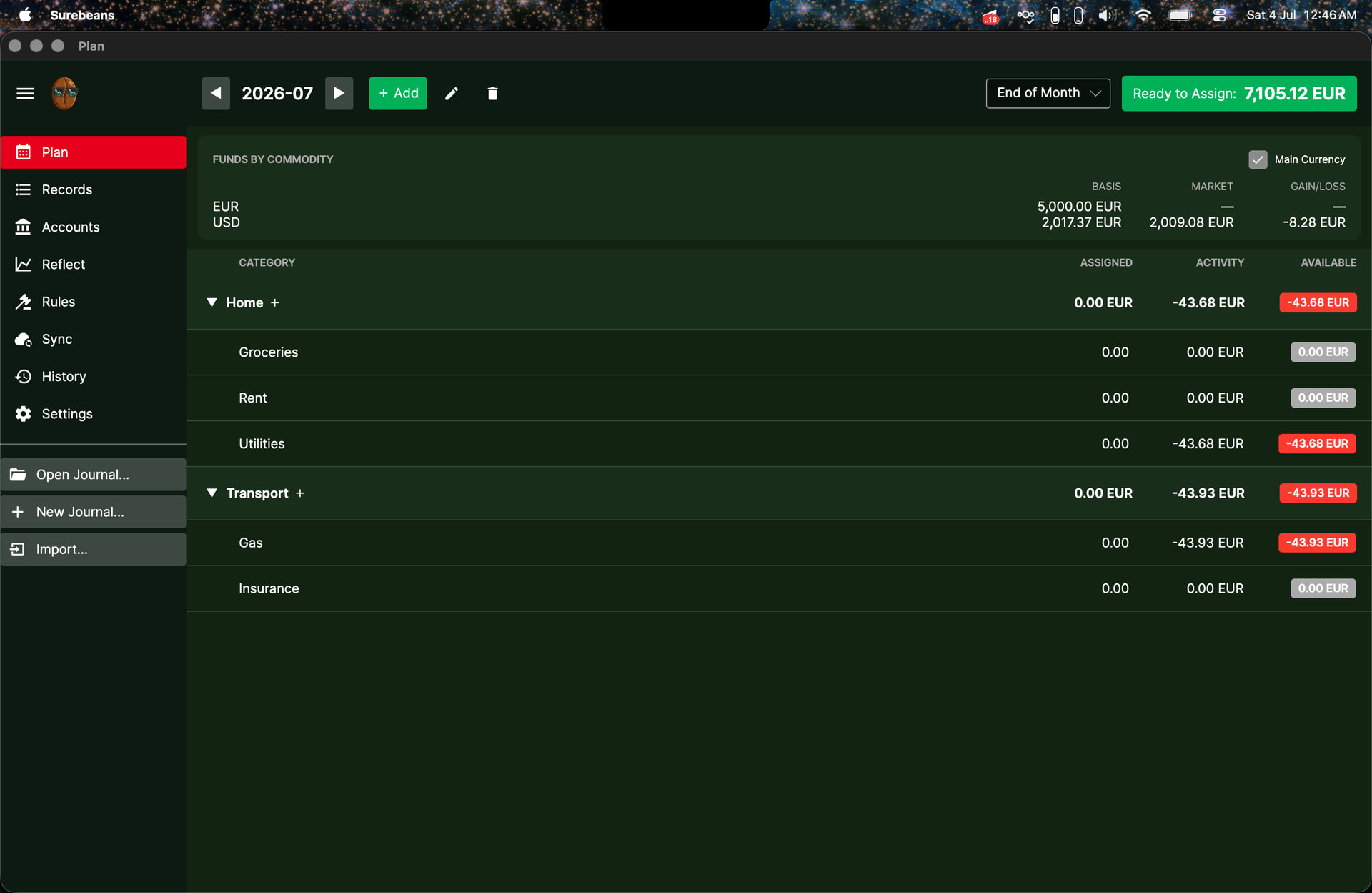
Here’s the Plan tab for June:

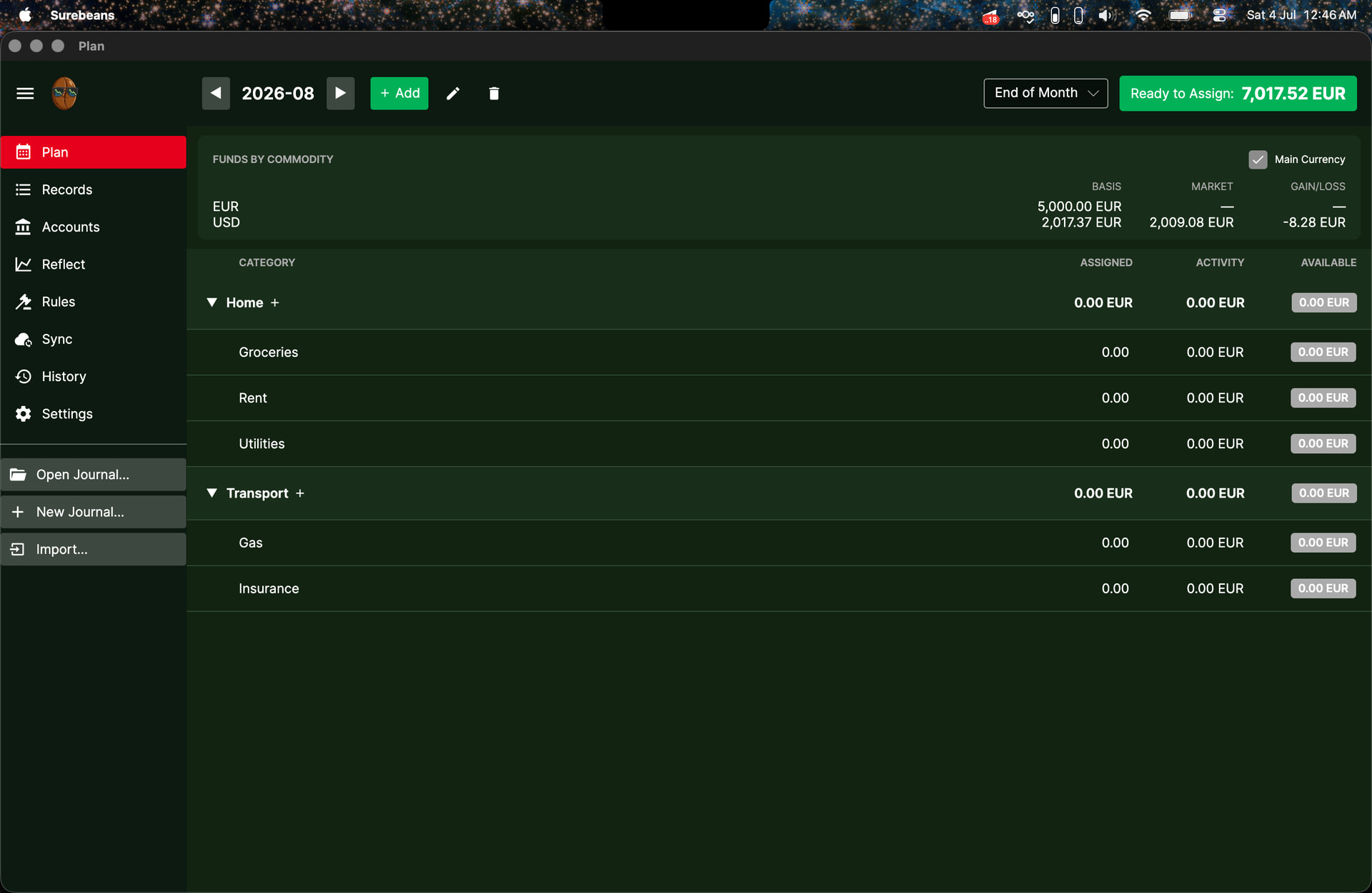
and here’s the Plan tab for July:

Note that RTA remains unchanged. Furthermore, I can click on and type in new values for all of the Assigned entries, but when I press Enter, the edited entries remain at 0, and the RTA and Available amounts remain unchanged.

1 Like

Thanks for finding these issues! It’s very helpful. I was able to repro the currency problem on the Plan tab. You should find it’s fixed in 0.89.8.

One thing I couldn’t repro is your seeing EUR 7500 RTA in July. I see 7350, reflecting the 150 of overspending in June. I suspect your journal file might still have USD in places. Please create a new one, and if that doesn’t clear it up, please send me the journal as a zip and I’ll get to the bottom of it.

2 Likes

Seems like it’s fixed! I’ll continue usage for a couple of days and report back if anything’s amiss. FWIW, when starting a new journal with multiple currencies, the Plan tab doesn’t work immediately because there’s no price comparison between secondary currencies and the main currencies in the ledger yet. Is there any way to indicate to the user to Fetch Prices in the Reflect tab before using the Plan tab? This may prevent some confusion on the part of the user.

Edit: I think I’ve found the ‘cause’ of what I saw earlier. Let me explain. I’m on v0.89.10 now.

I’ve set my main currency to Custom, with a symbol of EUR (note the minor bug that ‘Custom’ doesn’t show up as the selected option in the dropdown):

I’ve set all my transactions to be in USD. Note that 100 USD is used in June, and 100 USD is used in July:

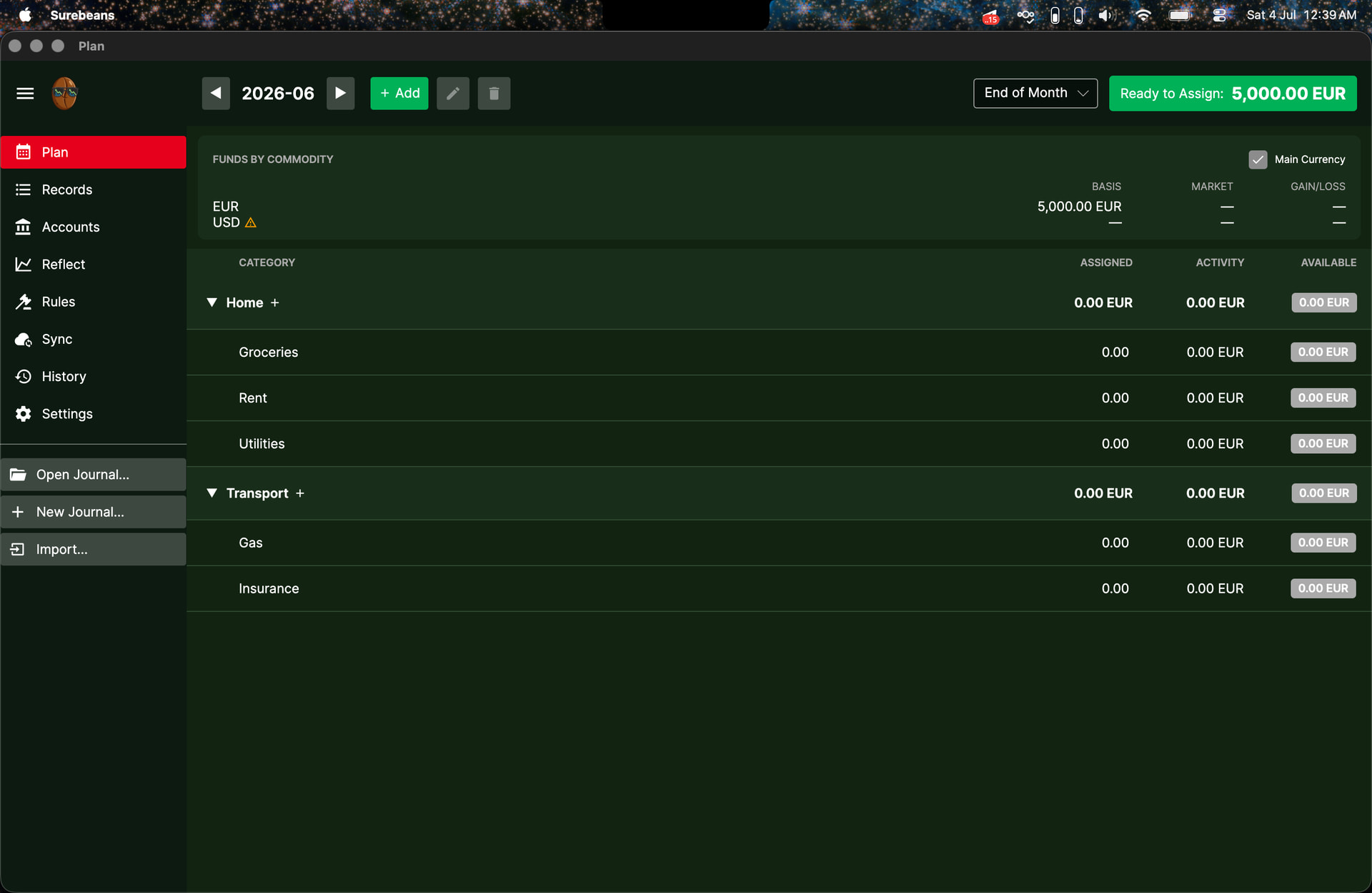
My Plan tab for June:

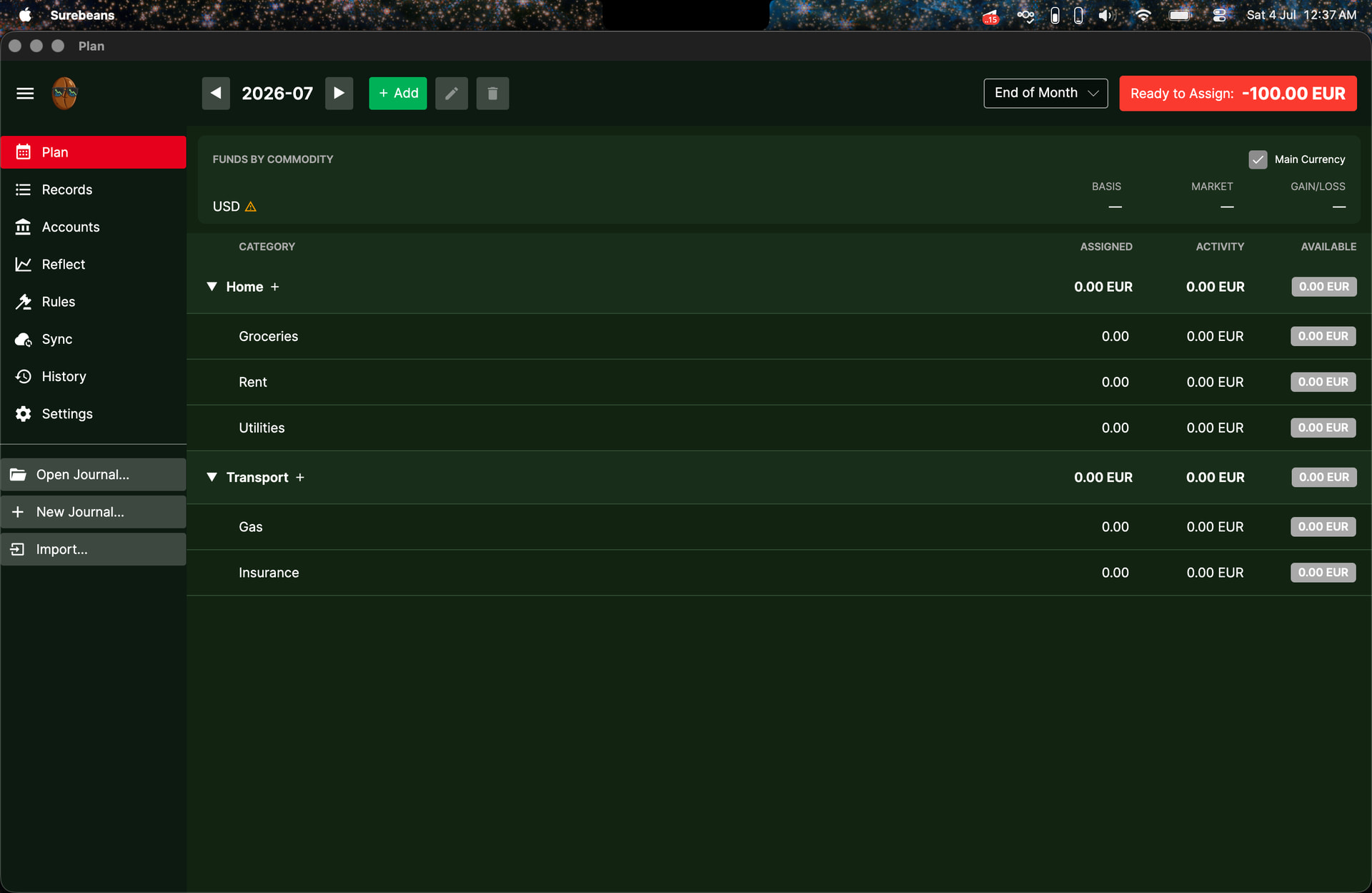
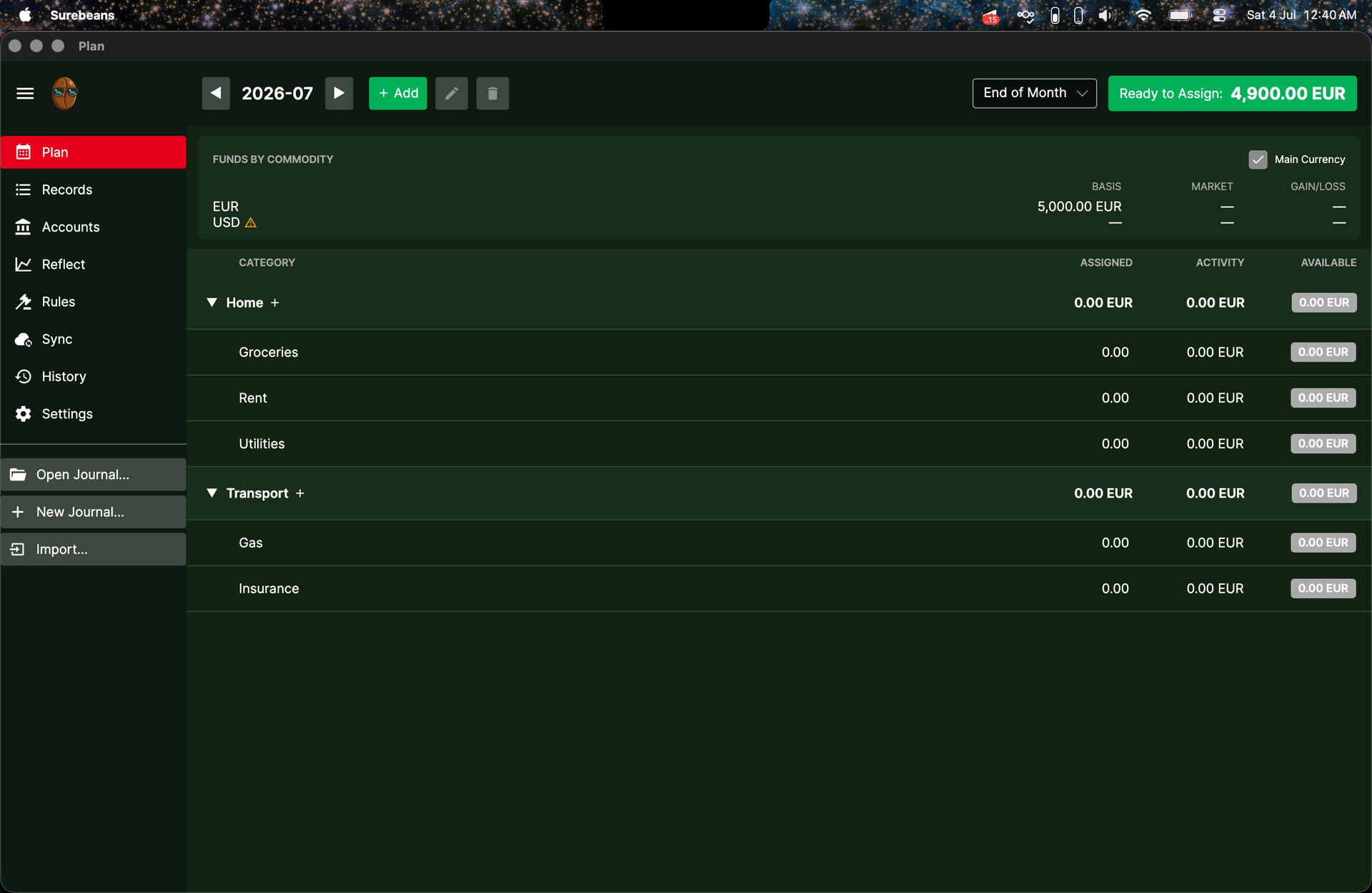
My Plan tab for July:

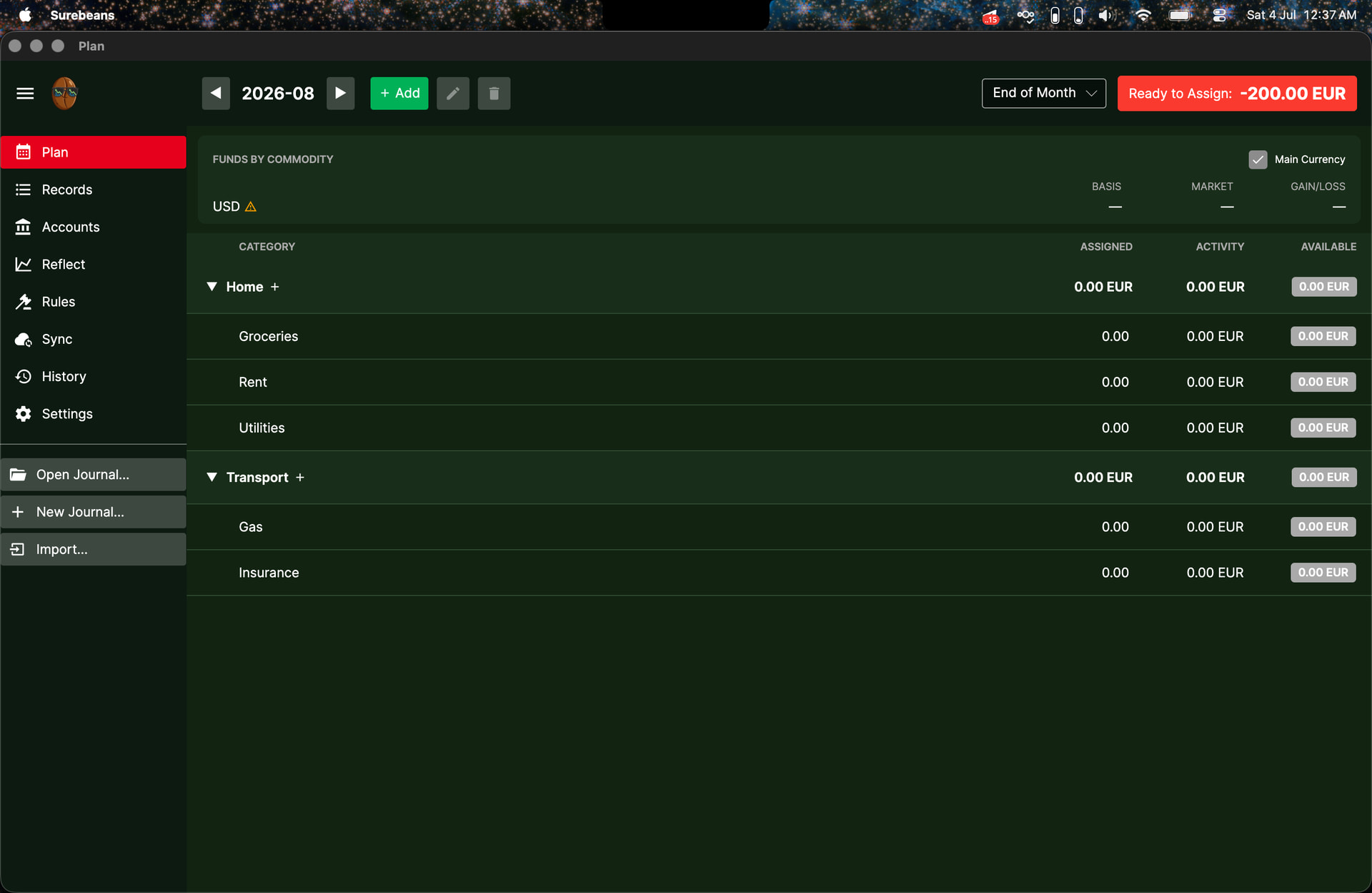
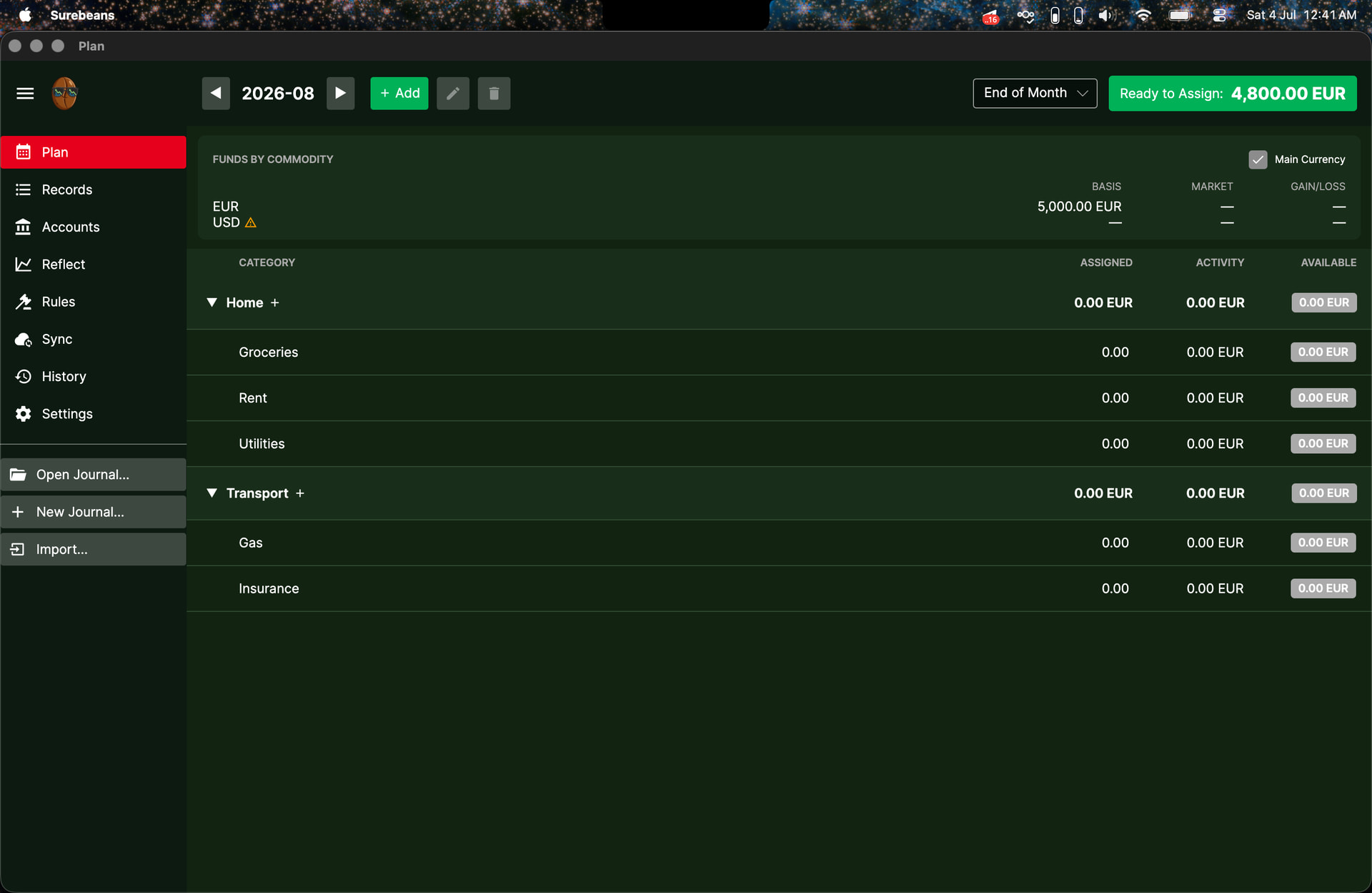
and my Plan tab for August:

It seems like when there is no price comparison between the secondary currencies and main currency, the expenses are incorrectly assumed to be of the main currency and subtracted from the total amount of main currency in accounts, which is correctly identified as 0. Also, note that the USD expenses aren’t noted down in the Activity entries at all.

If I change my starting balance to be 5000 EUR instead of 5000 USD, then Plan tab for June:

Plan tab for July:

and the Plan tab for August:

The starting balance of 5000 EUR now contributes to the RTA amount as expected, but the expenses (which are still in USD) don’t contribute to the Activity column at all. Additionally, there is now a new row titled ‘Funds by Commodity’. I do not understand the purpose of having this row in the Plan tab. Would it be better off in the Reflect tab? Would love to hear your thoughts.

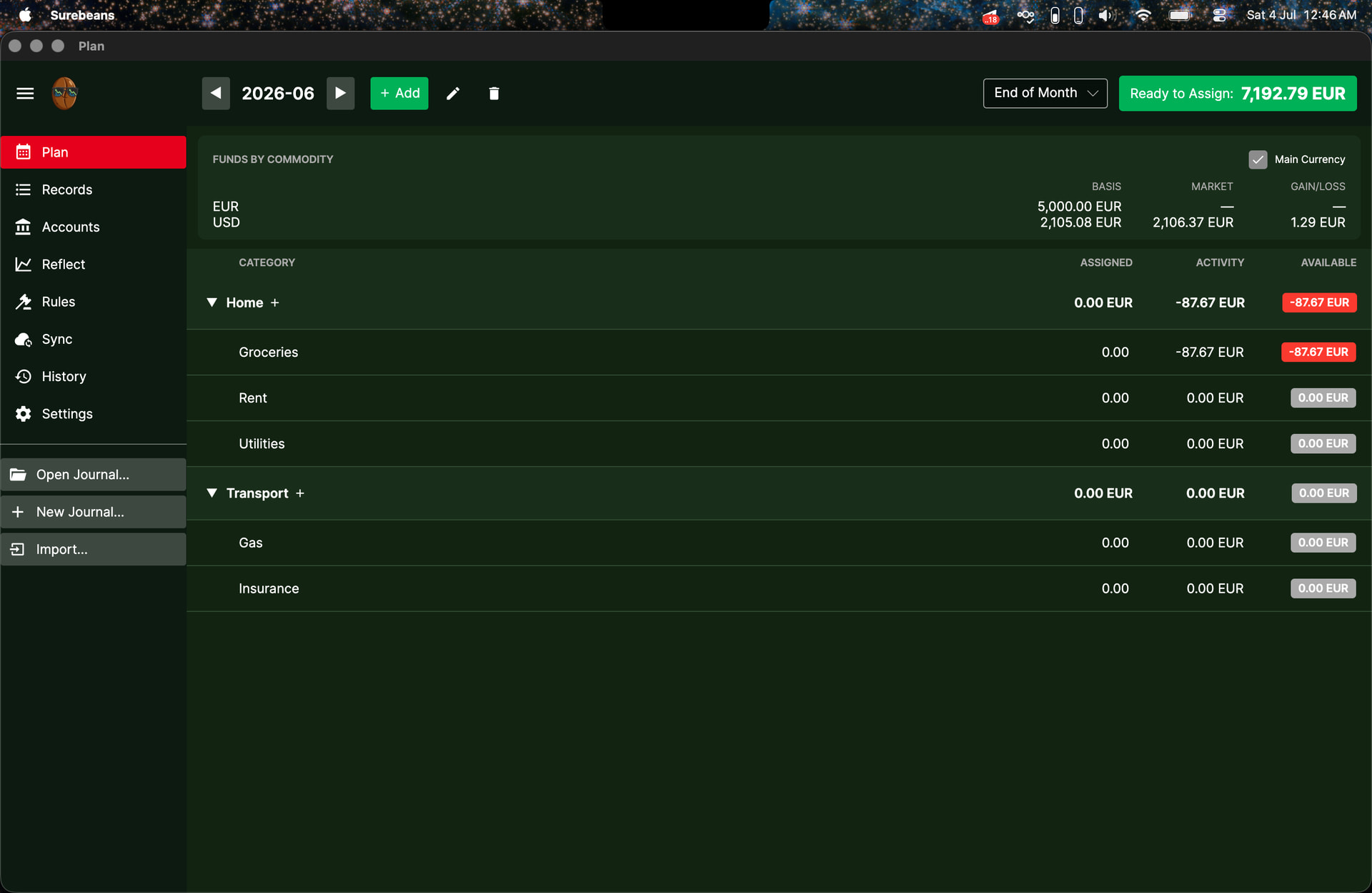
Finally, if I Fetch Prices in the Reflect tab and then look at the Plan tab in June:

Plan tab in July:

Plan tab in August:

Now, with a price comparison between EUR and USD, the expenses in USD are converted to EUR and are correctly shown in the Activity entries.

So, to conclude, I think there is a bug (underlined section). Additionally, when dealing with multiple currencies and no existing currency comparison, I think it would be prudent to prompt/advise/warn the user to Fetch Prices before attempting to use the Plan tab.

1 Like

Re-replying just in case you didn’t see the edit I made to my reply! I think I found another bug with multiple currencies in the Plan tab (added to my reply above this).

1 Like

@nucleontum thanks as always for your thorough investigation!

Multi-currency support has existed in Surebeans for about a month now. You’re possibly the first to try it other than me. You’ve definitely found a bug and some unfinished bits, all of which I want to fix. Let me also explain a couple of things.

‘Funds by Commodity’.

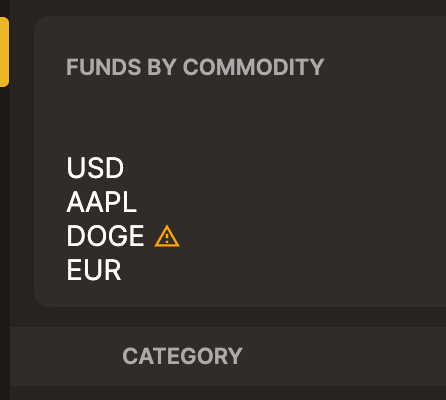
The term “Commodity” is from hledger, which treats currency as just another commodity, e.g. these are all commodities: AAPL, EUR, USD, DOGE.

There are a couple of options here. I could rename it to “Funds by Currency”, but then a user with AAPL holdings in an Asset account will think “by Commodity” makes more sense. Splitting them out into two cards is harder since Surebeans doesn’t contain a list of all currencies. Do you think “Funds by Currency / Commodity” would work for now?

I do not understand the purpose of having this row in the Plan tab.

It definitely has a purpose, and I should update the docs to explain:

A multi-currency budget app has to make some tough UX choices. For example, if I have 5000 EUR and 1000 USD, what is my RTA? Surebeans could just say, “You have 5000 EUR and 1000 USD”, but I can’t think of a good way to plan with that. I’d need Groceries (EUR) and Grocieries (USD) categories. Each record would take a currency-specific category. Not to mention, what if I hold 5 currencies? Might as well do what YNAB does and require separate budgets per currency.

So for RTA, Activity, and Available, I decided to convert all currencies into the main currency so they could be just one number. That of course has a tradeoff: it requires currency conversions, which Surebeans tries to fetch for you. Like you pointed out, what is missing in the Plan tab is a way to fetch them on demand or to add them manually (if e.g. you don’t have internet). I will add those. I’ve also got a ticket to add a comprehensive prices editor.

Now it gets really interesting, and this is why the “Funds by Commodity” card exists. If I hold 5000 EUR and 1000 USD, and my main currency is EUR, then daily USD-EUR financial exchange rate fluctuations will cause RTA to go up or down. Today I might have 5874 EUR (= 5000 EUR + 1000 USD at today’s rate). I might allocate all of that, and overnight the USD loses strength vs the euro. RTA shows 5500 EUR and I’m overspent by 374 EUR. That would be a tough start to the day!

The “Funds by Commodity” card mitigates overallocation arising from FX fluctuation. With it, I can see plainly that 874 of my 5874 EUR comes from USD holdings, and I can plan accordingly.

Now, what the card is supposed to do is make it clear when the exchange rate (“price” in hledger) is missing so you can do something about it. As you pointed out, the Plan tab quietly falls back to counting such a currency as the main currency. I’m open to ideas here. What would you like to see it do? It would be incorrect to deduct nothing from RTA. Should I make the warning triangle more obvious? Hide RTA? Fallback to the last known FX rate (if there is one)?
1 Like

Wow, these are tough problems indeed.

Firstly, regarding nomenclature in the Plan tab. I feel that the Plan tab is more for users who are trying to budget with their liquid assets, by which I mean assets in currencies which will be gained and used on a regular basis (like your typical USD, EUR, etc.). Users who own typical commodities like AAPL, DOGE, etc. will not use them to buy groceries or pay rent :joy:. So, because of that consideration, I’d say that using ‘Funds by Currency’ makes more sense. At the end of the day, this is a stylistic choice that does not make much difference functionally (in my opinion). However, we could take it further by distinguishing between Currencies and Commodities, and having an option to show only Currencies in the Plan tab (which would help with the visual clutter).
Secondly, regarding how to make the warning about a lack of price comparison more obvious. The warning triangle is perfectly visible but it’s not clear what its purpose is, so having a small hovering error message explaining the triangle (when the cursor hovers over the triangle) would work. Maybe something like “Price comparison with main currency not found. Please Fetch Prices in Reflect tab”.

Lastly, regarding your point about FX fluctuation and the conceptual ‘issues’ with a multi-currency Plan tab. Let me think more about that. I’ll get back to you with a reply soon!

2 Likes

I had a think over what should be prioritised when it comes to a multi-currency Plan tab. As a user who wishes to give every dollar a purpose, I’m more interested in assigning every dollar in every currency than getting the overall picture of RTA in my main currency (this opinion is specific to budgeting).

Thus, after mulling over the various options, I think this is the best approach:

  1. Separate RTA by currency (perhaps it can be listed in the ‘Funds by Currency’ section).
  2. Each category has a setting:
    • Free category: the category accepts all currencies and distinguishes between different currencies. We could allow for free categories to also have a preferred currency.
    • Locked category: the category only accepts 1 specific currency.
  3. The Plan tab has 3 view settings:
    • Main view: all entries are converted to the main currency. This is for the overall picture of how money is being assigned and used.
    • Locked view: each entry is shown in its category’s locked currency (free categories are displayed in the main currency or preferred currency, if one exists).
    • Expanded view: the entries for each category show all utilised currencies.

The benefits of this approach are as follows:

  1. Zero-based budgeting (which is the golden principle) is strictly followed, as we split RTA by currency.
  2. Having 2 types of categories allows for users to set some categories as only getting one specific currency. This gives leeway for users to choose how strict their categories are:
    • Locked categories enforce users to physically have money in that specific currency, rather than ‘soft-assigning’ money from other currencies and dealing with FX fluctuations.
    • Free categories allow 2 things:
      • If a category can be funded by any currency (by which I mean that ‘soft-assigning’ money from other categories is not a concern), users are able to do so.
      • If a category (e.g. Groceries) has 2 plans in 2 currencies (e.g. Partner 1 uses CHF for groceries while Partner 2 uses EUR for groceries), the Expanded view for free categories allow for this difference to be maintained.

Let’s have a discussion about the feasibility of this approach, both conceptually and technically!

1 Like

Hi @doug and @nucleontum ,

Thank you both for working on this.

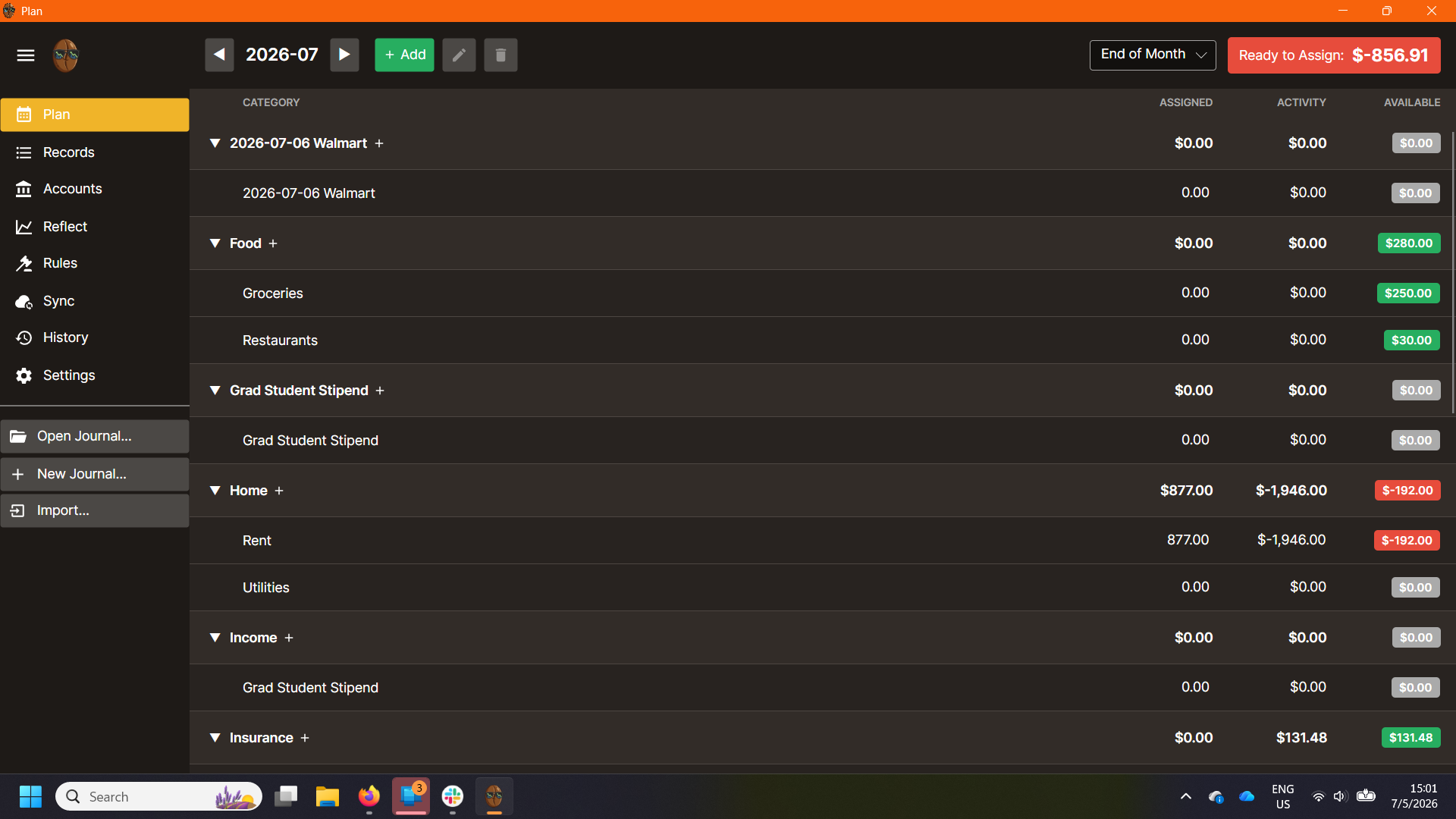
I am now on v.0.90.2 which has addressed many of the issues I originally had. However, the issues with the funds shown as Available still do not make sense to me based on what is in the Assigned and Activity column. I’ve included a screenshot of what it currently looks like for me.

Several of the issues seem related to some issues I am still having with Beanscrape and the Records Tab. I think I must be doing something wrong somewhere and am trying to figure it out, but even accounting for that, I think I have two issues with the Plan tab itself. First, I am getting money shown as available when I have assigned $0 (ex. the Food Category). I think the issue may be the UI not showing what the software has actually saved (not sure if I am using those terms right). As in, I think I assigned $250 to Groceries at some point, then closed the software. When I reopened it, it now shows as available, but for some reason the assigned value has returned to $0. Second, sometimes the values in available are not any combination I can tell of the assigned and available (ex. Rent subcategory). This may be due to the same reason of Surebeans having saved a value internally that I can’t see.

@ngills Would you be willing to zip up your journal and send it to [email protected]? Please redact/edit any values you wouldn’t want me to see. I’ll never share it, and I’ll delete the files when I’m done.

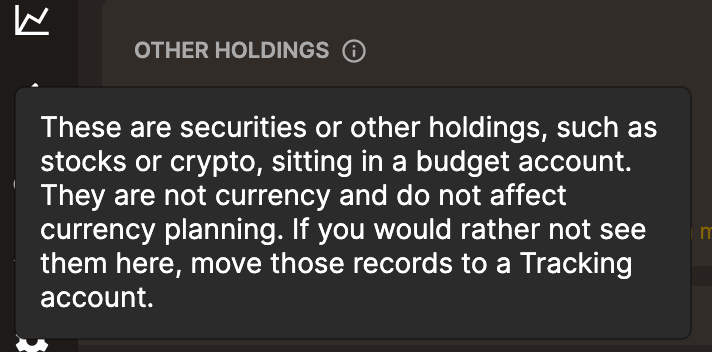
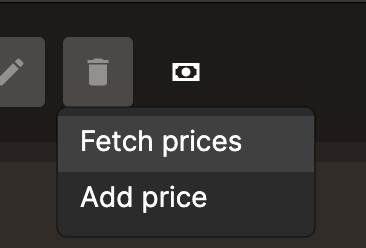
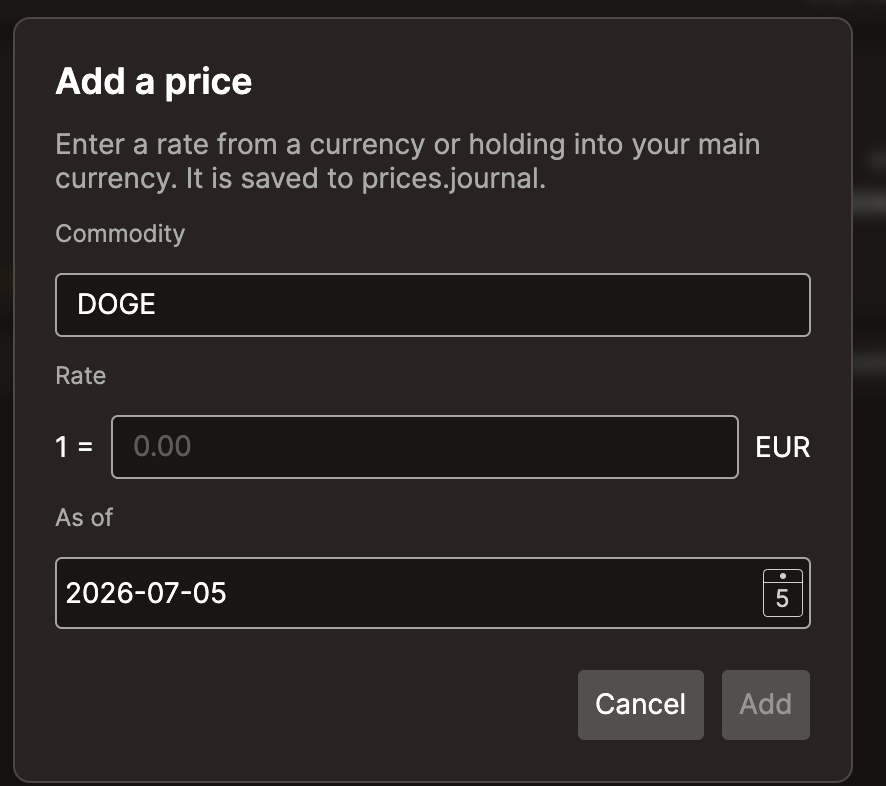
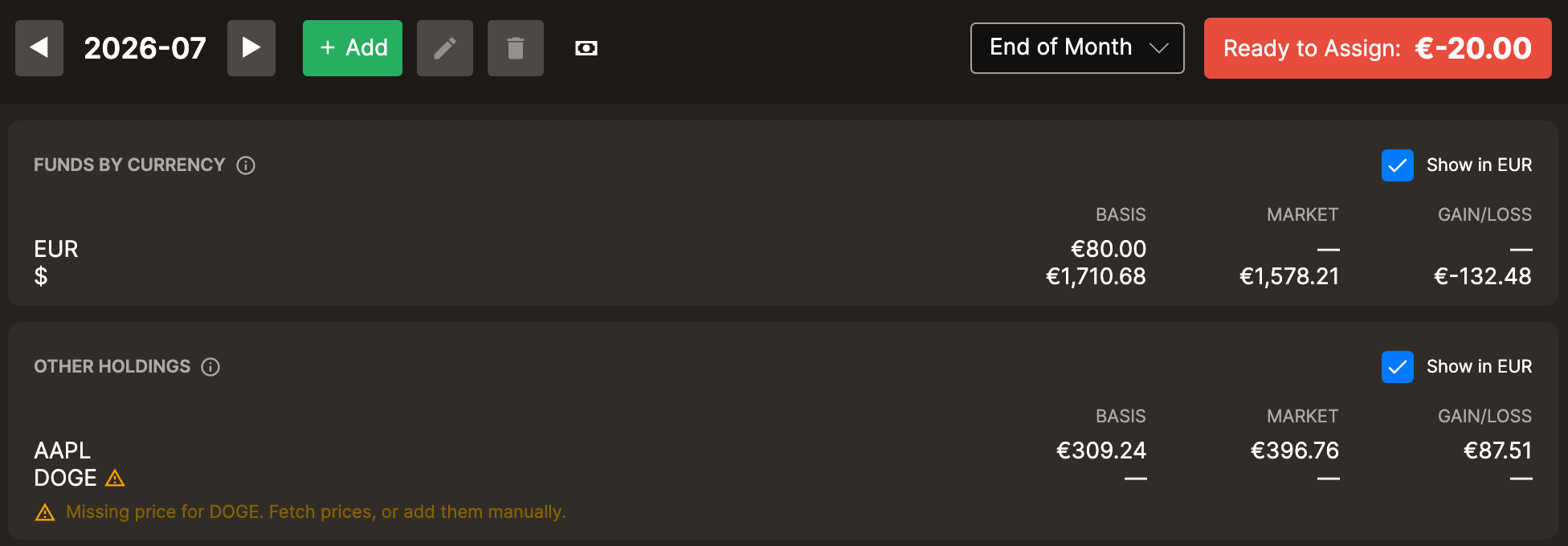
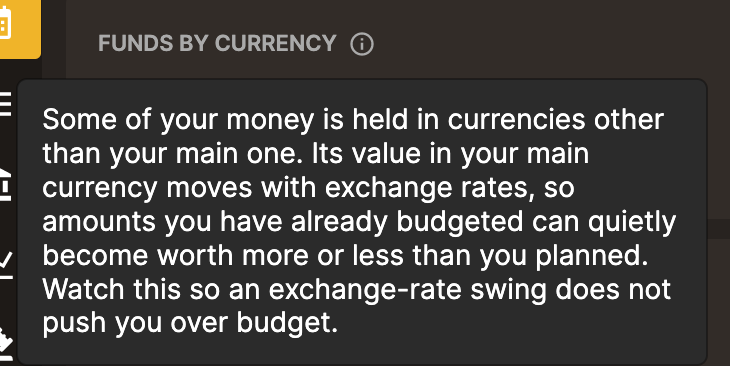
@nucleontum I have just pushed 0.91.0 which addresses the Plan tab issues we discussed up through July 4. I split the funds card into two cards: a card for Currency which only appears if the journal is multi-currency and another card for “Other Holdings” which only appears if the journal has securities etc in an Asset account. There are info icons which explain what the cards are for. The warning triangles are now accompanied by an explanatory message. There’s a new button which lets you fetch prices or add them manually.


Also updated the Plan tab guide.

1 Like

@nucleontum Thank you for your feedback for future revisions to the Plan tab. It’s very helpful. I do all my banking in USD, so I am reliant on the feedback of multi-currency users like you to make multi-currency intuitive and effective. I’ll have a think and get back to you.